
Eye adaptation
In the previous chapter we have implemented sphere lights to get rid of an annoying property of point lights: too small specular highlight on glossy materials.
In this section we add a new feature to our physically based renderer: eye adaptation. In the diffuse lighting tutorial we implemented manual exposure correction. We found a formula for the maximum luminance which is a function of a value called exposure value. We could adjust this value using the keyboard and we uploaded it to the GPU in every frame. We performed exposure correction in the fragment shader, and we were happy, because that was not a real world application.
In a real world application you may have an open world, where a huge amount of light enters our camera from the sun, the sky, indirect illumination from every object, and you may be able to enter a cave where only a tiny amount of light enters the camera. The two different areas require two different exposure values to look good, and inventing some way to manually set it for different parts of the map will result in added artist time.
Eye adaptation can save artist time by performing exposure correction based on the average luminance of the image. This way there is no need for artists to manually set the exposure value for different parts of the map, just let an automatism find the appropriate exposure value for brighter and darker areas.
There is some math and physics in this tutorial. The recommendations from the previous tutorials for consuming math still apply: you can understand math in many ways, depending on your way of thinking and background:
- Read and understand the math first, then the code
- Understand the code first, and then interpret the math
Read whichever way is better for you. Be prepared that multiple rereads may be necessary.
This tutorial is in open beta. There may be bugs in the code and misinformation and inaccuracies in the text. If you find any, feel free to open a ticket on the repo of the code samples.
Theory
In the diffuse lighting tutorial we introduced the exposure value, which was used to define the brightness of the image. There we set this value manually for the whole scene, and uploaded it to the GPU every frame. Eye adaptation is about simulating the behavior of the human eye, where the pupil can become wider or narrower and let more or less photons hit the retina. This is done by adapting the previously introduced exposure value based on the brightness of the image. In this tutorial we are implementing a simple technique that uses the average luminance of the image to calculate a new exposure value.
We need to figure out two details to perform eye adaptation.
- We need to find a metric that tells us something about the brightness of the image.
- We need to find a formula that helps us calculate an exposure value from this metric.
Exposure value and lighting conditions
We can easily find a solution to the second point on the list. On wikipedia we can find a formula for an idead exposure value for an image based on the lighting conditions. See the section "Relationship of EV to lighting conditions".
Where is the average scene luminance, is the sensor sensitivity and is the calibration constant. We set to and will be set to . This leaves the average scene luminance to be the only free parameter, and this directs us to the solution of the first point on the list: this will be the metric we use to determine the brightness of the image.
Average scene luminance
We know we want to know the average scene luminance to plug it into the formula for the exposure value, but how do we calculate it? In the diffuse lighting tutorial we chose to simulate the radiometric value radiance using the lighting equation. How can we get the photometric luminance?
First, let's remember that there is a scaling factor between the two units of measurement, the maximum spectral luminous efficacy, which is . We already used this in the diffuse lighting tutorial to convert the maximum luminance for a given exposure value to radiance.
There is still a problem beyond conversion: we have radiance on three wavelengths, the red, green and blue wavelengths, and the formula for exposure value requires a single real number as average luminance. According to a tutorial using a different technique we can use a formula that can be found on Wikipedia (see the section "Relative luminance and "gamma encoded" colorspaces") to weigh together the RGB luminance values of the image.
Where is the luminance of the red component, is the luminance of the green component and is the luminance of the blue component.
We seem to be on the right track, we seem to have a metric and we know how to average things, but there is a twist. One might naively think that "average scene luminance" means the arithmetic mean of the luminance of the pixels. Wikipedia is not particularly specific about this. However based on the blog of Krzysztof Narkwoicz and the computer graphics course of Two Minute Papers, the geometric mean of the luminance of the pixels is used instead. The Two Minute Papers video claims that a simple arithmetic average gives a disproportional weight to large values. The geometric mean is defined like this:
Since calculating nth roots is not very pleasant, we rearrange this formula.
This way we can sum up the logarithm of all of the pixel luminance values, and raise to its power. Using logarithm can lead to trouble that you need to beware of. You cannot plug zero into it. If a pixel has zero luminance, you must clamp it to a very small number. Beyond that Luminance should never be negative, so there should be no trouble with that.
Smoothing out over multiple frames
Now we have lots of building blocks to try to implement eye adaptation.
- After rendering the whole image, let's calculate the geometric mean of the luminance of the pixels!
- Let's plug that into the exposure value formula taken from wikipedia and use that for exposure correction!
This will work, sort of, but if new light sources get within the field of view of the camera, the scene will darken suddenly and this does not look pretty. Instead we take inspiration from this graphics study of The Witcher 3's eye adaptation algorithm and let's smear the average luminance over multiple frames. Let's make the previous frame's average scene luminance available in the current frame, let's calculate the delta between them, and then let's adjust the average luminance gradually using a speed value! This way there is no sudden change.
Let be the geometric mean of the luminance of the pixels and be the speed value and be the smeared average luminance in the th frame. The recursive formula for calculating the value for the st frame based on the value of the previous frame is given below.
If you want to, you can make the speed tweakable.
Putting it all together
Now we have everything to implement eye adaptation. The plan is the following:
- After rendering the whole image, let's calculate the geometric mean of the luminance of the pixels!
- If it's different than the previous frame's average luminance, we increase or decrease it with a certain speed.
- Let's plug that into the exposure value formula taken from wikipedia and use that for exposure correction!
Implementing even this simple eye adaptation technique will greatly modernize our rendering scheme.
- Instead of rendering into the swapchain we render our scene into an offscreen color buffer. There are two reasons for this. First we need a float image that preserves radiance values greater than one. Secondly we need the results of rendering all of the pixels available before we can calculate the average luminance for the current frame.
- Then we use a compute shader to calculate the average luminance of the scene, and if it's different than the previous frame, we adjust slightly.
- Then in a postprocessing compute shader we use this new average luminance to do the exposure correction, and also move the tone mapping and sRGB conversion here.
Now that we have all the theory laid out, let's expand our knowledge of compute shaders. Calculating the average luminance of the rendered image can be done with some advanced compute shader features, so this tutorial will take advantage of them. Let's get into it!
Shared memory and subgroup operations
We have already discussed compute shaders: you can utilize the parallel processors of the GPU for non graphics operations. You can formulate your algorithms with a compute shader, and when you dispatch a compute workload, many invocations of this shader is run in parallel.
Now let's get to some advanced details! Compute shader invocations are organized into work groups, and every invocation within a workgroup is scheduled onto the same compute unit. Invocations within the same work group can communicate with each other using shared memory, so you can save data into shared memory and other invocations within the same work group can read it.
There is more: desktop GPU hardware can execute several invocations in lockstep. NVidia symmetric multiprocessors execute 32 threads called a warp, AMD GCN cards execute 64 threads within a wavefront. There are instructions on both architectures that can share data within a warp or a wavefront in registers. This does not require shared memory and is even faster.
In Vulkan this functionality is exposed with subgroup operations. In Vulkan and GLSL a warp or a wavefront is expressed with a subgroup. Work groups are divided into subgroups, each scheduled onto the same compute unit, and invocations within these subgroups can share data with each other using subgroup operations. Subgroup operations require Vulkan 1.1.
Now let's summarize! Invocations within a dispatch are organized into work groups. Invocations within a single work group can communicate using shared memory. Invocations within a work group are further divided into subgroups, and invocations within a subgroup can communicate using subgroup operations.
We are going to calculate the geometric mean of the luminance of an image, which is formulated as a sum of the logarithms of values calculated from individual pixel data. We want to calculate a single number from a two dimensional array of numbers. This is a reduction operation, and subgroup operations are especially useful for these. We can take inspiration from NVidia's blog post on reducing a buffer in CUDA.
Storage Buffers
Compute shaders need to write their output somewhere into memory. We have seen compute shaders write to storage images, but there are special types of buffers as well that shaders can write to.
In Vulkan a storage buffer is a buffer that can be written by compute shaders.
Storage buffers can be created by adding the usage flag VK_BUFFER_USAGE_STORAGE_BUFFER_BIT during creation.
Implementation overview
Now that we gathered all the theory needed to implement eye adaptation, and a few GPU features and rendering schemes, let's lay out the plan to implement it!
- First we render into a float image instead of the swapchain image. This will be our HDR color buffer. We write the radiance values into it without exposure correction, tone mapping and sRGB conversion.
-
After rendering comes postprocessing.
-
We transition this HDR color buffer to the
VK_IMAGE_LAYOUT_GENERALlayout, because this is what we need in order to read it as a storage image. -
We run a compute shader that calculates the average scene luminance of the HDR color buffer.
- Taking inspiration from the eye adaptation algorithm of The Witcher 3, if the color buffer is large, we only read a subset of the pixels. We take at most the central 512x512 pixels of the HDR color buffer.
-
Since even this size requires more than one work group, the reduction is going to require temporary storage where workgroups can share their partial results.
- Every work group will contain 8x8 invocations.
- Every invocation will average an 8x8 block of the color buffer.
- Then subgroups will average the partial results of their invocations using subgroup operations and write the resulting average into shared memory.
- Then one of the subgroups will read the partial results of the subgroups from shared memory, average them and write the resulting average into a storage image.
This will require an 8x8 storage image, one pixel for each work group.
- Every work group is going to save its sub block average into a pixel. The last work group to finish is going to reduce the contents of this temporary image into a single float and store it in a storage buffer.
- Then a final postprocessing step will read the resulting average luminance from the storage buffer to perform exposure correction, and afterwards tone mapping and sRGB conversion. We leave manual exposure correction in the code as well. The shader will use a boolean value to choose between manual and automatic exposure.
-
We transition this HDR color buffer to the
That's a lot of things to do. This is clearly going to be massivel Let's get started!
HDR rendering
The first step is rendering the radiance values into a float color buffer for later processing. Instead of writing values in the range of which will be interpreted as sRGB colors, our fragment shaders will skip the exposure correction, the tone mapping and the sRGB conversion, and write the radiance values directly. The render target needs to be able to store radiance values greater than one, so we choose a float format. Let's start with updating our shaders.
HDR fragment shaders
In the previous tutorials we first calculated the incoming radiance for a given pixel. Then we performed exposure correction, tone mapping and sRGB conversion. The result is a value that can be written to the swapchain image. Now we need to adjust the shaders to write the incoming radiance itself into the color attachment. We have two shaders to modify, the skydome shader and the sphere light shader.
Let's start with the skydome shader!
#version 460

layout(set = 0, binding = 4) uniform samplerCube skydome_sampler;

layout(location = 0) in vec3 position;

layout(location = 0) out vec4 fragment_color;

void main()
{
    vec3 radiance = texture(skydome_sampler, position).rgb;

    fragment_color = vec4(radiance, 1.0);
}
Originally we needed the exposure value from the uniform buffer, but sinde we skip exposure correction here, we no longer need the uniform buffer or the push constant identifying the current frame's region. We can just delete it.
Then we just delete all of the aforementioned processing steps from the shader, and what remains is just reading the radiance value from the skydome cube image, and writing it to the color attachment.
I saved this file as 07_skydome_hdr.frag.
./build_tools/bin/glslangValidator -V -o ./shaders/07_skydome_hdr.frag.spv ./shader_src/fragment_shaders/07_skydome_hdr.frag
Now it's time for our sphere light shader.
#version 460

const float PI = 3.14159265359;

const uint MAX_TEX_DESCRIPTOR_COUNT = 3;
const uint MAX_CUBE_DESCRIPTOR_COUNT = 2;
const uint MAX_UBO_DESCRIPTOR_COUNT = 8;
const uint MAX_OBJECT_COUNT = 64;
const uint MAX_LIGHT_COUNT = 64;

const uint ENV_MAP_INDEX = 1;
const uint DFG_TEX_INDEX = 0;
const uint OBJ_TEXTURE_BBEGIN = 1;

layout(set = 0, binding = 1) uniform sampler2D tex_sampler[MAX_TEX_DESCRIPTOR_COUNT];
layout(set = 0, binding = 4) uniform samplerCube cube_sampler[MAX_CUBE_DESCRIPTOR_COUNT];

const uint ROUGHNESS = 0;
const uint METALNESS = 1;
const uint REFLECTIVENESS = 2;

struct MaterialData
{
    vec4 albedo_fresnel;
    vec4 roughness_mtl_refl;
    vec4 emissive;
};

struct LightData
{
    vec4 pos_and_radius;
    vec4 intensity;
};

layout(std140, set=0, binding = 2) uniform UniformMaterialData {
    vec3 camera_position;
    MaterialData material_data[MAX_OBJECT_COUNT];
} uniform_material_data[MAX_UBO_DESCRIPTOR_COUNT];

layout(std140, set=0, binding = 3) uniform UniformLightData {
    uint light_count;
    LightData light_data[MAX_LIGHT_COUNT];
} uniform_light_data[MAX_UBO_DESCRIPTOR_COUNT];

layout(push_constant) uniform ResourceIndices {
    uint obj_index;
    uint ubo_desc_index;
    uint texture_id;
} resource_indices;

layout(location = 0) in vec3 frag_position;
layout(location = 1) in vec3 frag_normal;
layout(location = 2) in vec2 frag_tex_coord;

layout(location = 0) out vec4 fragment_color;

vec4 fresnel_schlick(vec4 fresnel, float camera_dot_half)
{
    return fresnel + (1.0 - fresnel) * pow(max(0.0, 1.0 - camera_dot_half), 5);
}

float trowbridge_reitz_dist_sphere(float alpha, float alpha_prime, float normal_dot_half)
{
    float alpha_sqr = alpha * alpha;
    float normal_dot_half_sqr = normal_dot_half * normal_dot_half;

    float div_sqr_part = (normal_dot_half_sqr * (alpha_sqr - 1) + 1);

    float alpha_prime_sqr = alpha_prime * alpha_prime;
    float norm = alpha_sqr / (alpha_prime_sqr);
    return norm * alpha_sqr / (PI * div_sqr_part * div_sqr_part);
}

float smith_lambda(float roughness, float cos_angle)
{
    float cos_sqr = cos_angle * cos_angle;
    float tan_sqr = (1.0 - cos_sqr)/cos_sqr;

    return (-1.0 + sqrt(1 + roughness * roughness * tan_sqr)) / 2.0;
}

void main()
{
    uint texture_id = resource_indices.texture_id;
    uint obj_index = resource_indices.obj_index;
    uint ubo_desc_index = resource_indices.ubo_desc_index;

    // Lighting

    vec3 normal = frag_normal;
    if (!gl_FrontFacing)
    {
        normal *= -1.0;
    }
    normal = normalize(normal);

    vec3 camera_position = uniform_material_data[ubo_desc_index].camera_position.xyz;
    vec3 camera_direction = normalize(camera_position - frag_position);
    float camera_dot_normal = dot(camera_direction, normal);

    vec4 albedo_fresnel = uniform_material_data[ubo_desc_index].material_data[obj_index].albedo_fresnel;
    float roughness = uniform_material_data[ubo_desc_index].material_data[obj_index].roughness_mtl_refl[ROUGHNESS];
    float metalness = uniform_material_data[ubo_desc_index].material_data[obj_index].roughness_mtl_refl[METALNESS];
    float reflectiveness = uniform_material_data[ubo_desc_index].material_data[obj_index].roughness_mtl_refl[REFLECTIVENESS];

    vec4 tex_color = texture(tex_sampler[OBJ_TEXTURE_BBEGIN + texture_id], frag_tex_coord);
    vec3 diffuse_brdf = albedo_fresnel.rgb * tex_color.rgb / PI;

    vec3 radiance = vec3(0.0);
    for (int i=0;i < uniform_light_data[ubo_desc_index].light_count;i++)
    {
        vec3 light_position = uniform_light_data[ubo_desc_index].light_data[i].pos_and_radius.xyz;
        float light_radius = uniform_light_data[ubo_desc_index].light_data[i].pos_and_radius.w;
        vec3 light_intensity = uniform_light_data[ubo_desc_index].light_data[i].intensity.rgb;

        vec3 light_direction = light_position - frag_position;
        float light_dist_sqr = dot(light_direction, light_direction);
        light_direction = normalize(light_direction);

        // Diffuse

        float beta = acos(dot(normal, light_direction));
        float dist = sqrt(light_dist_sqr);
        float h = dist / light_radius;
        float x = sqrt(h * h - 1);
        float y = -x * (1 / tan(beta));

        float form_factor = 0.0;
        if(h * cos(beta) > 1.0)
        {
            form_factor = cos(beta) / (h * h);
        }
        else
        {
            form_factor = (1 / (PI * h * h)) * (cos(beta) * acos(y) - x * sin(beta) * sqrt(1.0 - y * y)) + (1.0 / PI) * atan(sin(beta) * sqrt(1.0 - y * y) / x);
        }

        vec3 light_radiance = light_intensity / (light_radius * light_radius);
        vec3 irradiance = light_radiance * PI * max(0.0, form_factor);

        vec3 diffuse_radiance = diffuse_brdf * irradiance;

        // Specular

        vec3 reflection_vector = reflect(camera_direction, normal);

        vec3 light_to_surface = frag_position - light_position;
        vec3 light_to_ray = light_to_surface - dot(light_to_surface, reflection_vector) * reflection_vector;
        float light_to_ray_len = length(light_to_ray);

        light_position = light_position + light_to_ray * clamp(light_radius / light_to_ray_len, 0.0, 1.0);

        light_direction = (light_position - frag_position);
        light_dist_sqr = dot(light_direction, light_direction);
        light_direction = normalize(light_direction);

        vec3 half_vector = normalize(light_direction + camera_direction);

        float normal_dot_half = dot(normal, half_vector);
        float camera_dot_half = dot(camera_direction, half_vector);
        float light_dot_normal = dot(normal, light_direction);
        float light_dot_half  = dot(light_direction, half_vector);

        float alpha = roughness * roughness;
        float alpha_prime = clamp(alpha + light_radius/(2.0*sqrt(light_dist_sqr)), 0.0, 1.0);

        vec4  F = fresnel_schlick(albedo_fresnel, camera_dot_half);
        float D = trowbridge_reitz_dist_sphere(alpha, alpha_prime, normal_dot_half);
        float G = step(0.0, camera_dot_half) * step(0.0, light_dot_half) / (1.0 + smith_lambda(roughness, camera_dot_normal) + smith_lambda(roughness, light_dot_normal));

        vec4 specular_brdf = F * D * G / (4.0 * max(1e-2, camera_dot_normal));

        vec3 metallic_contrib = specular_brdf.rgb;
        vec3 non_metallic_contrib = vec3(specular_brdf.a);
        vec3 specular_coefficient = mix(non_metallic_contrib, metallic_contrib, metalness);

        vec3 specular_radiance = specular_coefficient * step(0.0, light_dot_normal) * light_intensity / light_dist_sqr;

        radiance += mix(diffuse_radiance, specular_radiance, reflectiveness);
    }

    vec3 emissive = uniform_material_data[ubo_desc_index].material_data[obj_index].emissive.rgb;
    radiance += emissive;

    // Environment mapping

    vec3 env_tex_sample_diff = textureLod(cube_sampler[ENV_MAP_INDEX], normal, textureQueryLevels(cube_sampler[ENV_MAP_INDEX])).rgb;
    vec3 env_tex_sample_spec = textureLod(cube_sampler[ENV_MAP_INDEX], normal, roughness * textureQueryLevels(cube_sampler[ENV_MAP_INDEX])).rgb;
    vec2 dfg_tex_sample = texture(tex_sampler[DFG_TEX_INDEX], vec2(roughness, camera_dot_normal)).rg;

    vec4 env_F = albedo_fresnel * dfg_tex_sample.x + dfg_tex_sample.y;

    vec3 env_diff = diffuse_brdf * env_tex_sample_diff;
    vec3 env_spec = mix(env_F.a * env_tex_sample_spec, env_F.rgb * env_tex_sample_spec, metalness);

    vec3 final_env = mix(env_diff, env_spec, reflectiveness);
    radiance += final_env;

    fragment_color = vec4(radiance, 1.0);
}
We no longer need the exposure value here either, so we can remove it from the beginning of the material data uniform buffer region.
Then we remove exposure correction again, tone mapping and sRGB conversion, and just write the radiance value directly to the color attachment.
I saved this file as 08_sphere_light_hdr.frag.
./build_tools/bin/glslangValidator -V -o ./shaders/08_sphere_light_hdr.frag.spv ./shader_src/fragment_shaders/08_sphere_light_hdr.frag
Now that our HDR shaders are done, we can load them.
First we load the HDR skydome shader.
    //
    // Shader modules
    //

    // ...

    // Skydome fragment shader

    let mut file = std::fs::File::open(
        "./shaders/07_skydome_hdr.frag.spv"
    ).expect("Could not open shader source");
Then we load the HDR sphere light shader.
    //
    // Shader modules
    //

    // ...

    // Fragment shader

    let mut file = std::fs::File::open(
        "./shaders/08_sphere_light_hdr.frag.spv"
    ).expect("Could not open shader source");
Now that our shaders write radiance values into the color attachment, let's create images that can store them!
HDR color buffers
Now it's time to create color attachments that can store luminance values greater than one. In the
depth testing tutorial we already extended the function
create_framebuffers_and_depth_buffers to create the depth buffer and add it to the framebuffer. It seems like
a good place to create the color buffers as well. We rename it to
create_framebuffers_and_render_targets to better reflect its new function.
//
// Getting swapchain images and framebuffer creation with render targets
//

unsafe fn create_framebuffers_and_render_targets(
    device: VkDevice,
    chosen_phys_device: VkPhysicalDevice,
    phys_device_mem_properties: &VkPhysicalDeviceMemoryProperties,
    width: u32,
    height: u32,
    format: VkFormat,
    render_pass: VkRenderPass,
    swapchain: VkSwapchainKHR,
    swapchain_imgs: &mut Vec<VkImage>,
    swapchain_img_views: &mut Vec<VkImageView>,
    color_buffers: &mut Vec<VkImage>, // We added this
    color_buffer_memories: &mut Vec<VkDeviceMemory>, // We added this
    color_buffer_views: &mut Vec<VkImageView>, // We added this
    depth_buffers: &mut Vec<VkImage>,
    depth_buffer_memories: &mut Vec<VkDeviceMemory>,
    depth_buffer_views: &mut Vec<VkImageView>,
    framebuffers: &mut Vec<VkFramebuffer>
)
{
    // ...
}
First we renamed the function to create_framebuffers_and_render_targets and added three new parameters,
color_buffers, color_buffer_memories and color_buffer_views.
Now we can create the new hdr color images.
//
// Getting swapchain images and framebuffer creation with render targets
//

unsafe fn create_framebuffers_and_render_targets(
    device: VkDevice,
    chosen_phys_device: VkPhysicalDevice,
    phys_device_mem_properties: &VkPhysicalDeviceMemoryProperties,
    width: u32,
    height: u32,
    format: VkFormat,
    render_pass: VkRenderPass,
    swapchain: VkSwapchainKHR,
    swapchain_imgs: &mut Vec<VkImage>,
    swapchain_img_views: &mut Vec<VkImageView>,
    color_buffers: &mut Vec<VkImage>,
    color_buffer_memories: &mut Vec<VkDeviceMemory>,
    color_buffer_views: &mut Vec<VkImageView>,
    depth_buffers: &mut Vec<VkImage>,
    depth_buffer_memories: &mut Vec<VkDeviceMemory>,
    depth_buffer_views: &mut Vec<VkImageView>,
    framebuffers: &mut Vec<VkFramebuffer>
)
{
    // ...

    let mut format_properties = VkFormatProperties::default();
    unsafe
    {
        vkGetPhysicalDeviceFormatProperties(
            chosen_phys_device,
            VK_FORMAT_R32G32B32A32_SFLOAT,
            &mut format_properties
        );
    }

    if format_properties.optimalTilingFeatures & VK_FORMAT_FEATURE_COLOR_ATTACHMENT_BIT as VkFormatFeatureFlags == 0
    {
        panic!("Image format VK_FORMAT_R32G32B32A32_SFLOAT with VK_IMAGE_TILING_OPTIMAL does not support usage flags VK_FORMAT_FEATURE_COLOR_ATTACHMENT_BIT.");
    }

    if format_properties.optimalTilingFeatures & VK_FORMAT_FEATURE_STORAGE_IMAGE_BIT as VkFormatFeatureFlags == 0
    {
        panic!("Image format VK_FORMAT_R32G32B32A32_SFLOAT with VK_IMAGE_TILING_OPTIMAL does not support usage flags VK_FORMAT_FEATURE_STORAGE_IMAGE_BIT.");
    }

    color_buffers.reserve(swapchain_imgs.len());
    color_buffer_memories.reserve(swapchain_imgs.len());
    color_buffer_views.reserve(swapchain_imgs.len());
    for i in 0..swapchain_imgs.len()
    {
        let image_create_info = VkImageCreateInfo {
            sType: VK_STRUCTURE_TYPE_IMAGE_CREATE_INFO,
            pNext: core::ptr::null(),
            flags: 0x0,
            imageType: VK_IMAGE_TYPE_2D,
            format: VK_FORMAT_R32G32B32A32_SFLOAT,
            extent: VkExtent3D {
                width: width as u32,
                height: height as u32,
                depth: 1
            },
            mipLevels: 1,
            arrayLayers: 1,
            samples: VK_SAMPLE_COUNT_1_BIT,
            tiling: VK_IMAGE_TILING_OPTIMAL,
            usage: (VK_IMAGE_USAGE_COLOR_ATTACHMENT_BIT |
                    VK_IMAGE_USAGE_STORAGE_BIT) as VkImageUsageFlags,
            sharingMode: VK_SHARING_MODE_EXCLUSIVE,
            queueFamilyIndexCount: 0,
            pQueueFamilyIndices: core::ptr::null(),
            initialLayout: VK_IMAGE_LAYOUT_UNDEFINED
        };

        println!("Creating color image.");
        let mut color_image = core::ptr::null_mut();
        let result = unsafe
        {
            vkCreateImage(
                device,
                &image_create_info,
                core::ptr::null_mut(),
                &mut color_image
            )
        };

        if result != VK_SUCCESS
        {
            panic!("Failed to create color image {}. Error: {}", i, result);
        }

        color_buffers.push(color_image);

        let mut mem_requirements = VkMemoryRequirements::default();
        unsafe
        {
            vkGetImageMemoryRequirements(
                device,
                color_image,
                &mut mem_requirements
            );
        }

        let color_buffer_mem_props = VK_MEMORY_PROPERTY_DEVICE_LOCAL_BIT as VkMemoryPropertyFlags;
        let mut chosen_memory_type = phys_device_mem_properties.memoryTypeCount;
        for i in 0..phys_device_mem_properties.memoryTypeCount
        {
            if mem_requirements.memoryTypeBits & (1 << i) != 0 &&
                (phys_device_mem_properties.memoryTypes[i as usize].propertyFlags & color_buffer_mem_props) ==
                    color_buffer_mem_props
            {
                chosen_memory_type = i;
                break;
            }
        }

        if chosen_memory_type == phys_device_mem_properties.memoryTypeCount
        {
            panic!("Could not find memory type.");
        }

        let image_alloc_info = VkMemoryAllocateInfo {
            sType: VK_STRUCTURE_TYPE_MEMORY_ALLOCATE_INFO,
            pNext: core::ptr::null(),
            allocationSize: mem_requirements.size,
            memoryTypeIndex: chosen_memory_type
        };

        println!("Color image size: {}", mem_requirements.size);
        println!("Color image align: {}", mem_requirements.alignment);

        println!("Allocating color image memory");
        let mut color_image_memory = core::ptr::null_mut();
        let result = unsafe
        {
            vkAllocateMemory(
                device,
                &image_alloc_info,
                core::ptr::null(),
                &mut color_image_memory
            )
        };

        if result != VK_SUCCESS
        {
            panic!("Could not allocate memory for color image {}. Error: {}", i, result);
        }

        let result = unsafe
        {
            vkBindImageMemory(
                device,
                color_image,
                color_image_memory,
                0
            )
        };

        if result != VK_SUCCESS
        {
            panic!("Failed to bind memory to color image {}. Error: {}", i, result);
        }

        color_buffer_memories.push(color_image_memory);

        let image_view_create_info = VkImageViewCreateInfo {
            sType: VK_STRUCTURE_TYPE_IMAGE_VIEW_CREATE_INFO,
            pNext: core::ptr::null(),
            flags: 0x0,
            image: color_image,
            viewType: VK_IMAGE_VIEW_TYPE_2D,
            format: VK_FORMAT_R32G32B32A32_SFLOAT,
            components: VkComponentMapping {
                r: VK_COMPONENT_SWIZZLE_IDENTITY,
                g: VK_COMPONENT_SWIZZLE_IDENTITY,
                b: VK_COMPONENT_SWIZZLE_IDENTITY,
                a: VK_COMPONENT_SWIZZLE_IDENTITY
            },
            subresourceRange: VkImageSubresourceRange {
                aspectMask: VK_IMAGE_ASPECT_COLOR_BIT as VkImageAspectFlags,
                baseMipLevel: 0,
                levelCount: 1,
                baseArrayLayer: 0,
                layerCount: 1
            }
        };

        println!("Creating color image view.");
        let mut color_image_view = core::ptr::null_mut();
        let result = unsafe
        {
            vkCreateImageView(
                device,
                &image_view_create_info,
                core::ptr::null_mut(),
                &mut color_image_view
            )
        };

        if result != VK_SUCCESS
        {
            panic!("Failed to create color image view {}. Error: {}", i, result);
        }

        color_buffer_views.push(color_image_view);
    }

    // ...
}
I chose VK_FORMAT_R32G32B32A32_SFLOAT to be the color format. This one seemed to support being color
attachment and storage image on many GPUs.
Creating the color image is fairly standard. The usage flags we set are VK_IMAGE_USAGE_COLOR_ATTACHMENT_BIT
and VK_IMAGE_USAGE_STORAGE_BIT. The first one because we need to render to it, and the second one because
we read it in the postprocessing compute shaders. I look for VK_MEMORY_PROPERTY_DEVICE_LOCAL_BIT when
looking for a memory type, because that is the fastest for render targets.
Once it's created we set this as framebuffer attachment.
//
// Getting swapchain images and framebuffer creation with render targets
//

unsafe fn create_framebuffers_and_render_targets(
    device: VkDevice,
    chosen_phys_device: VkPhysicalDevice,
    phys_device_mem_properties: &VkPhysicalDeviceMemoryProperties,
    width: u32,
    height: u32,
    format: VkFormat,
    render_pass: VkRenderPass,
    swapchain: VkSwapchainKHR,
    swapchain_imgs: &mut Vec<VkImage>,
    swapchain_img_views: &mut Vec<VkImageView>,
    color_buffers: &mut Vec<VkImage>,
    color_buffer_memories: &mut Vec<VkDeviceMemory>,
    color_buffer_views: &mut Vec<VkImageView>,
    depth_buffers: &mut Vec<VkImage>,
    depth_buffer_memories: &mut Vec<VkDeviceMemory>,
    depth_buffer_views: &mut Vec<VkImageView>,
    framebuffers: &mut Vec<VkFramebuffer>
)
{
    // ...

    framebuffers.reserve(swapchain_imgs.len());
    for (i, (color_buffer_view, depth_buffer_view)) in color_buffer_views.iter().zip(depth_buffer_views.iter()).enumerate()
    {
        let attachments: [VkImageView; 2] = [
            *color_buffer_view,
            *depth_buffer_view
        ];

        // ...
    }
}
Previously the first slot was taken by the swapchain image. Now we set it to the newly created color buffer.
Then we do cleanup. Previously we called the function destroy_framebuffers_and_depth_buffers, but now
it destroys the color buffers as well, so the name destroy_framebuffers_and_render_targets is more fitting.
//
// Getting swapchain images and framebuffer creation with render targets
//

// ...

unsafe fn destroy_framebuffers_and_render_targets(
    device: VkDevice,
    swapchain_img_views: &mut Vec<VkImageView>,
    color_buffers: &mut Vec<VkImage>, // We added this
    color_buffer_memories: &mut Vec<VkDeviceMemory>, // We added this
    color_buffer_views: &mut Vec<VkImageView>, // We added this
    depth_buffers: &mut Vec<VkImage>,
    depth_buffer_memories: &mut Vec<VkDeviceMemory>,
    depth_buffer_views: &mut Vec<VkImageView>,
    framebuffers: &mut Vec<VkFramebuffer>
)
{
    // ...

    for color_buffer_view in color_buffer_views.iter()
    {
        println!("Deleting color image views.");
        unsafe
        {
            vkDestroyImageView(
                device,
                *color_buffer_view,
                core::ptr::null_mut()
            );
        }
    }

    color_buffer_views.clear();

    for color_buffer in color_buffers.iter()
    {
        println!("Deleting color image");
        unsafe
        {
            vkDestroyImage(
                device,
                *color_buffer,
                core::ptr::null_mut()
            );
        }
    }

    color_buffers.clear();

    for color_buffer_memory in color_buffer_memories.iter()
    {
        println!("Deleting color image device memory");
        unsafe
        {
            vkFreeMemory(
                device,
                *color_buffer_memory,
                core::ptr::null_mut()
            );
        }
    }

    color_buffer_memories.clear();

    // ...
}
We added the standard destruction code for the image, the memory and the image view.
We renamed functions and added parameters, so we adjust call sites. First the initial creation...
    //
    // Getting swapchain images and framebuffer creation
    //

    let mut swapchain_imgs = Vec::new();
    let mut swapchain_img_views = Vec::new();
    let mut color_buffers = Vec::new();
    let mut color_buffer_memories = Vec::new();
    let mut color_buffer_views = Vec::new();
    let mut depth_buffers = Vec::new();
    let mut depth_buffer_memories = Vec::new();
    let mut depth_buffer_views = Vec::new();
    let mut framebuffers = Vec::new();
    unsafe
    {
        create_framebuffers_and_render_targets(
            device,
            chosen_phys_device,
            &phys_device_mem_properties,
            width,
            height,
            format,
            render_pass,
            swapchain,
            &mut swapchain_imgs,
            &mut swapchain_img_views,
            &mut color_buffers,
            &mut color_buffer_memories,
            &mut color_buffer_views,
            &mut depth_buffers,
            &mut depth_buffer_memories,
            &mut depth_buffer_views,
            &mut framebuffers
        );
    }

    // ...
Then the swapchain recreation...
        //
        // Recreate swapchain if needed
        //

        if recreate_swapchain
        {
            // ...

            unsafe
            {
                destroy_framebuffers_and_render_targets(
                    device,
                    &mut swapchain_img_views,
                    &mut color_buffers,
                    &mut color_buffer_memories,
                    &mut color_buffer_views,
                    &mut depth_buffers,
                    &mut depth_buffer_memories,
                    &mut depth_buffer_views,
                    &mut framebuffers
                );
            }

            // ...

            unsafe
            {
                create_framebuffers_and_render_targets(
                    device,
                    chosen_phys_device,
                    &phys_device_mem_properties,
                    width,
                    height,
                    format,
                    render_pass,
                    swapchain,
                    &mut swapchain_imgs,
                    &mut swapchain_img_views,
                    &mut color_buffers,
                    &mut color_buffer_memories,
                    &mut color_buffer_views,
                    &mut depth_buffers,
                    &mut depth_buffer_memories,
                    &mut depth_buffer_views,
                    &mut framebuffers
                );
            }

            // ...
        }
Finally at the cleanup section at the end of the main function.
    //
    // Cleanup
    //

    let result = unsafe
    {
        vkDeviceWaitIdle(device)
    };

    // ...

    unsafe
    {
        destroy_framebuffers_and_render_targets(
            device,
            &mut swapchain_img_views,
            &mut color_buffers,
            &mut color_buffer_memories,
            &mut color_buffer_views,
            &mut depth_buffers,
            &mut depth_buffer_memories,
            &mut depth_buffer_views,
            &mut framebuffers
        );
    }

    // ...
Now that we have the HDR color buffers, the next thing we need to adjust is the render pass.
Adjust render pass
When we created the render pass back in the clearing the screen tutorial, we were rendering to the swapchain images, and that meant three characteristics of the render pass had to be true.
- The color attachment's format is the same as the swapchain image format.
-
After rendering the color attachment had to be transitioned to
VK_IMAGE_LAYOUT_PRESENT_SRC_KHR. -
Transitioning the color attachment to
VK_IMAGE_LAYOUT_COLOR_ATTACHMENT_OPTIMAL. must happen after the image is actually acquired.
Now our render targets are not the swapchain images but our own hdr color buffers, so we need to adjust the previous three points.
Let's adjust the format of the color attachment!
    //
    // RenderPass creation
    //

    let mut attachment_descs = Vec::new();

    let attachment_description = VkAttachmentDescription {
        flags: 0x0,
        format: VK_FORMAT_R32G32B32A32_SFLOAT, // We changed this
        samples: VK_SAMPLE_COUNT_1_BIT,
        loadOp: VK_ATTACHMENT_LOAD_OP_CLEAR,
        storeOp: VK_ATTACHMENT_STORE_OP_STORE,
        stencilLoadOp: VK_ATTACHMENT_LOAD_OP_DONT_CARE,
        stencilStoreOp: VK_ATTACHMENT_STORE_OP_DONT_CARE,
        initialLayout: VK_IMAGE_LAYOUT_UNDEFINED,
        finalLayout: VK_IMAGE_LAYOUT_GENERAL // We changed this
    };

    // ...
We set the color attachment's format to VK_FORMAT_R32G32B32A32_SFLOAT. Now our render pass is completely
independent from our swapchain image. Since we no longer present our images directly, but use it in a compute shader,
we transition our render targets to VK_IMAGE_LAYOUT_GENERAL instead of
VK_IMAGE_LAYOUT_PRESENT_SRC_KHR.
We can also remove our subpass dependency, because we no longer render to our swapchain images, so we don't need to worry about layout transitions happening before swapchain image acquisition.
    //
    // RenderPass creation
    //

    // ...

    // This can die
    let mut subpass_deps = Vec::new();

    // This can die
    let external_dependency = VkSubpassDependency {
        srcSubpass: VK_SUBPASS_EXTERNAL as u32,
        dstSubpass: 0,
        srcStageMask: VK_PIPELINE_STAGE_COLOR_ATTACHMENT_OUTPUT_BIT as VkPipelineStageFlags,
        dstStageMask: VK_PIPELINE_STAGE_COLOR_ATTACHMENT_OUTPUT_BIT as VkPipelineStageFlags,
        srcAccessMask: 0x0,
        dstAccessMask: VK_ACCESS_COLOR_ATTACHMENT_WRITE_BIT as VkAccessFlags,
        dependencyFlags: 0x0
    };

    // This can die
    subpass_deps.push(external_dependency);

    // ...
Without that subpass dependency our render pass create info looks like this.
    //
    // RenderPass creation
    //

    // ...

    let render_pass_create_info = VkRenderPassCreateInfo {
        sType: VK_STRUCTURE_TYPE_RENDER_PASS_CREATE_INFO,
        pNext: core::ptr::null(),
        flags: 0x0,
        attachmentCount: attachment_descs.len() as u32,
        pAttachments: attachment_descs.as_ptr(),
        subpassCount: subpass_descs.len() as u32,
        pSubpasses: subpass_descs.as_ptr(),
        dependencyCount: 0,
        pDependencies: std::ptr::null()
    };
Now that we are done with the render pass, we need to adjust the uniform buffer.
Adjusting uniform buffer layout
Previously we did the postprocessing steps at the end of the fragment shader, so we needed the exposure value there, and we supplied it in a uniform buffer region.
Now we moved those parts of the code out of the fragment shaders, so the exposure value is no longer necessary. Let's remove it!
    //
    // Uniform data
    //

    // This used to be the struct CameraData
    #[repr(C, align(16))]
    #[derive(Copy, Clone)]
    struct VsCameraData
    {
        projection_matrix: [f32; 16],
        view_matrix: [f32; 16]
    }

    // ...

    // This used to be the struct ExposureAndCamData
    #[repr(C, align(16))]
    #[derive(Copy, Clone)]
    struct FsCameraData
    {
        camera_x: f32,
        camera_y: f32,
        camera_z: f32,
        std140_padding_0: f32
    }

    // ...
Basically this removes the exposure value from the ExposureAndCamData in the fragment shader, leaving only
the camera data, so I thought it would be fitting to rename it to FsCameraData. To remove ambiguity, the
CameraData in the vertex shader is renamed to VsCameraData.
Let's use these structs in the uniform buffer region size calculations!
    //
    // Uniform data
    //

    // ...

    // Per frame UBO transform region size

    let transform_data_size = core::mem::size_of::<VsCameraData>() + max_object_count * core::mem::size_of::<TransformData>();

    // ...

    // Per frame UBO material region size

    let material_data_size = core::mem::size_of::<FsCameraData>() + max_object_count * core::mem::size_of::<MaterialData>();

    // ...
Then we need to adjust uniform upload as well.
We rename the references and adjust our "Getting references" part.
        //
        // Uniform upload
        //

        {
            // Getting references

            // ...

            let vs_camera_data;
            // ...
            unsafe
            {
                // ...

                let vs_camera_data_ptr: *mut core::mem::MaybeUninit<VsCameraData> = core::mem::transmute(
                    per_frame_transform_region_begin
                );
                vs_camera_data = &mut *vs_camera_data_ptr;

                let transform_offset = core::mem::size_of::<VsCameraData>() as isize;

                // ...
            }

            // ...

            let fs_camera_data;
            // ...
            unsafe
            {
                // ...

                let fs_camera_data_ptr: *mut core::mem::MaybeUninit<FsCameraData> = core::mem::transmute(
                    per_frame_material_region_begin
                );
                fs_camera_data = &mut *fs_camera_data_ptr;

                let material_offset = core::mem::size_of::<FsCameraData>() as isize;

                // ...
            }

            // ...
        }
Then the upload part.
        //
        // Uniform upload
        //

        {
            // ...

            // Filling them with data

            let field_of_view_angle = core::f32::consts::PI / 3.0;
            let aspect_ratio = width as f32 / height as f32;
            let far = 100.0;
            let near = 0.1;
            let projection_matrix = perspective(
                field_of_view_angle,
                aspect_ratio,
                far,
                near
            );

            *vs_camera_data = core::mem::MaybeUninit::new(
                VsCameraData {
                    projection_matrix: mat_mlt(
                        &projection_matrix,
                        &scale(1.0, -1.0, -1.0)
                    ),
                    view_matrix: mat_mlt(
                        &rotate_x(-camera.rot_x),
                        &mat_mlt(
                            &rotate_y(-camera.rot_y),
                            &translate(
                                -camera.x,
                                -camera.y,
                                -camera.z
                            )
                        )
                    )
                }
            );

            // ...

            *fs_camera_data = core::mem::MaybeUninit::new(
                FsCameraData {
                    camera_x: camera.x,
                    camera_y: camera.y,
                    camera_z: camera.z,
                    std140_padding_0: 0.0
                }
            );

            // ...
        }
This was the last thing we needed for implementing offscreen HDR rendering. The next thing we need to implement is postprocessing.
Postprocessing
With the previous modifications we render the scene to a HDR color buffer. Now we need to implement the postprocessing steps that implement eye adaptation, exposure correction, tone mapping, sRGB conversion and writes the end result to the swapchain image.
The ideal exposure value for a given frame depends on the average luminance of the pixels of the HDR color buffer. As we outlined previously we only take at most the 512x512 subimage at the center of the image into consideration. We need a shader that averages these pixels together, which will result in a single value. Using this value an average luminance for the frame will be calculated based on the previous frame's average luminance, the new average luminance and a speed value as discussed at the beginning of the chapter. This will be written to memory for later use. The shader performing this will be the average luminance shader.
Once the average luminance for the given frame is calculated and written to memory, we run another compute shader, the postprocessing shader, which will read the radiance values from the HDR color buffer and the average luminance of the current frame, performs exposure correction using the average luminance, tone mapping and sRGB conversion. The result will be written to the swapchain image, which can be presented to the screen.
Average luminance shader
The average luminance shader needs to read at most the central 512x512 subimage of the HDR color buffer, calculate the luminance of every pixel and claculate their geometric mean. The geometric mean is calculated by taking the logarithm of every pixel, taking their arithmetic mean and raising to its power. Using this technique performing the geometric mean can be done by performing a sum.
Calculating a single value from an array of elements in parallel is a parallel reduction algorithm. We can take inspiration from GPU vendors sharing techniques for using advanced GPU functionality for accelerating parallel reductions.
NVidia's Faster Parallel Reductions on Kepler blog post illustrates using subgroup operations and shared memory to reduce a linear array. (There the shuffle instruction is a subgroup operation, and a subgroup is called a warp in NVidia terminology.) The section "Block Reduce" talks about reducing subarrays with warp intrinsics and communicating partial results between subgroups in shared memory. The section "Reducing Large Arrays" they use a single invocation to reduce a whole subarray, and then use subgroup operations to sum the partial results across a subgroup.
Reducing buffers is nice, but let's also look at some resources on reducing an image! AMD had a talk on compute shaders at the 2018 4C Conference in Prague which can serve as a source of inspiration. In this video Lou Kramer illustrates how to write compute shaders that perform image downsampling, which is an image reduction algorithm. The algorithm calculates a downsampled version of a 4096x4096 image for every mip level. There a work group progressively reduces a 64x64 block of the image to a single pixel. The whole image can be reduced by 64x64 number of work groups and the last work group can reduce the last mip levels starting from the 64x64 mip levels to the final 1x1 mip level. This is implemented with an atomic counter.
We will take inspiration from both of these resources in our average luminance compute shader.
#version 460

#extension GL_KHR_shader_subgroup_arithmetic: enable

layout(local_size_x = 8, local_size_y = 8) in;

layout(set = 0, binding = 0, rgba32f) uniform image2D rendered_image;
layout(set = 0, binding = 1, r32f) coherent uniform image2D avg_luminance_image;

layout(set = 0, binding = 2, std430) buffer AvgLuminanceBuffer {
    float avg_luminance[];
} avg_luminance_buffer;
layout(set = 0, binding = 3, std430) coherent buffer AtomicCounterBuffer {
    uint atomic_counters[];
} atomic_counter_buffer;

layout(push_constant) uniform PushConstData {
    uint current_frame_index;
    uint prev_frame_index;
} push_const_data;

// We assume gl_SubgroupSize is at least 32, so there is at most 2 subgroups in a work group.
shared float avg_luminance_smem[2];

void main()
{
    if(gl_LocalInvocationID.x == 0 && gl_LocalInvocationID.y == 0)
    {
        avg_luminance_smem[0] = 0.0;
        avg_luminance_smem[1] = 0.0;
    }

    memoryBarrierShared();
    barrier();

    ivec2 rendered_image_size = imageSize(rendered_image);
    ivec2 src_block_offset = max(ivec2(0, 0), (rendered_image_size - ivec2(512, 512)) / 2) + ivec2(gl_GlobalInvocationID.xy) * 8;

    float max_spectral_lum_efficacy = 683.0;

    float avg_luminance_for_invocation = 0.0;
    for(int i=0;i < 8;i++)
    {
        for(int j=0;j < 8;j++)
        {
            ivec2 src_pixel_coords = src_block_offset + ivec2(i, j);

            vec4 pixel_radiance = imageLoad(rendered_image, src_pixel_coords);
            float pixel_luminance = (0.2126*pixel_radiance.r + 0.7152*pixel_radiance.g + 0.0722*pixel_radiance.b) * max_spectral_lum_efficacy;
            avg_luminance_for_invocation += log(max(1e-8, pixel_luminance));
        }
    }

    float avg_luminance_for_subgroup = subgroupAdd(avg_luminance_for_invocation);
    if(subgroupElect())
    {
        avg_luminance_smem[gl_SubgroupID] = avg_luminance_for_subgroup;
    }

    memoryBarrierShared();
    barrier();

    float avg_luminance_for_workgroup = avg_luminance_smem[0] + avg_luminance_smem[1];
    if(gl_SubgroupID == 0 && subgroupElect())
    {
        ivec2 dst_pixel_coords = ivec2(gl_WorkGroupID.xy);
        imageStore(avg_luminance_image, dst_pixel_coords, vec4(avg_luminance_for_workgroup, 0.0, 0.0, 1.0));

        atomicAdd(atomic_counter_buffer.atomic_counters[push_const_data.current_frame_index], 1);
    }

    memoryBarrierImage();
    memoryBarrierBuffer();
    barrier();

    if(atomic_counter_buffer.atomic_counters[push_const_data.current_frame_index] == gl_NumWorkGroups.x * gl_NumWorkGroups.y)
    {
        ivec2 src_pixel_coords = ivec2(gl_LocalInvocationID.xy);

        float avg_luminance_for_invocation = imageLoad(avg_luminance_image, src_pixel_coords).r;
        float avg_luminance_for_subgroup = subgroupAdd(avg_luminance_for_invocation);
        if(subgroupElect())
        {
            avg_luminance_smem[gl_SubgroupID] = avg_luminance_for_subgroup;
        }

        memoryBarrierShared();
        barrier();

        if(gl_SubgroupID == 0 && subgroupElect())
        {
            ivec2 min_dim = min(ivec2(512, 512), rendered_image_size);
            float sample_count = (min_dim.x * min_dim.y);

            float avg_luminance_for_workgroup = avg_luminance_smem[0] + avg_luminance_smem[1];
            float avg_luminance = exp(avg_luminance_for_workgroup / sample_count);

            float prev_avg_luminance = avg_luminance_buffer.avg_luminance[push_const_data.prev_frame_index];

            float speed = 0.05;
            float delta_luminance = avg_luminance - prev_avg_luminance;
            float new_avg_luminance = prev_avg_luminance + speed * delta_luminance;

            avg_luminance_buffer.avg_luminance[push_const_data.current_frame_index] = new_avg_luminance;
            atomic_counter_buffer.atomic_counters[push_const_data.current_frame_index] = 0;
        }
    }
}
A bird's eye view on what the shader does: we launch 8x8 work groups of 8x8 invocations. Every invocation reduces a 8x8 block of the 512x512 subimage, just like the Faster Parallel Reductions on Kepler's "Reducing Large Arrays" section. Then the values of the same subgroup will be reduced using subgroup operations and partial results get shared just like in the "Block Reduce" section. Then one of the invocations adds these together, stores it in the temporary 8x8 storage image, and increments an atomic int to signal the work group's completion. The last work group that reaches this point will learn about being the last one running from the value of this atomic int, and reduces the content of the temporary storage image to a single value, just like in the 4C talk. At the end it calculates the average luminance and stores it in a storage buffer for the postprocessing shader.
Now let's elaborate on the details of the shader!
The first line, #extension GL_KHR_shader_subgroup_arithmetic: enable, is important. The glslang compiler
will throw an error if you try to use subgroup intrinsics that are not enabled. The subgroup intrinsic that we use
to add every subgroup's value together will be subgroupAdd, which is a subgroup arithmetic operation
requiring the GL_KHR_shader_subgroup_arithmetic extension.
Then we define the work group size to be 8x8, which is 64. This will be important later.
Then we define the resources this shader will use. One of them is rendered_image, which is the HDR color
buffer. This will be our data source. Then comes avg_luminance_image, which is a temporary storage for
inter work group communication. The HDR color image's subimage gets reduced by many work groups, but somehow one of
them needs access to the partial results of every other work group. Every work group will have a corresponding pixel
where they can store their partial results. A format with a single channel will suffice, because the average luminance
will have the color components weighed together. To make sure that work groups can see other work groups' writes, this
image is marked coherent.
Then a storage buffer storing atomic integers is needed to let work groups communicate global progress. This is what
atomic_counter_buffer is for. Every frame has an integer that can be atomically incremented if a work group
finished reducing its image block. The last work group will know it is the last based on the value of this integer
which every other work group before has incremented. Since I have not found a certain answer to whether this one needs
to be coherent, I make it coherent for the sake of safety.
The final resource is the memory location of the final average luminance value. This will be the
avg_luminance_buffer. There is an array element for every frame where the average luminance value will be
stored.
That's it for the memory backed resources. Let's get to push constants! The shader needs to identify the current frame's
destination, so we have a current_frame_index to identify the correct atomic integer and average luminance
value for the current frame. Also the average luminance of the current frame is adjusted using the delta between the
current frame's and the previous frame's average luminance value with a speed value, so we need to read the previous
frame's average luminance. We have prev_frame_index for that.
Beyond images, buffers and push constants this shader uses one last kind of resource, a shared variable. This one will be
avg_luminance_smem. Shared variables are variables that are shared within a work group. It may be backed by
fast on chip memory. Writing data from an invocation within a work group can become visible to other invocations in the
work group as well, so this can be used for communication. Our workgroup has 64 invocations in it. On AMD GCN this will
be a single subgroup, but on NVidia this will be two subgroups with 32 invocations in each. At least on NVidia we will
need to share data between subgroups in shared memory. The avg_luminance_smem is a two element array where
both subgroups can store their partial results on NVidia and can be summed up later. The application will refuse to run
on GPUs with subgroup size less than 32 invocations, so we will not need a larger array. If you play around with larger
work groups, using shared memory on AMD becomes a hard requirement as well.
Now we can finally get to the main function.
We choose one of the invocations to set the value of every avg_luminance_smem element to zero. In general
you should be careful to only initialize shared variables from a single invocation. Then we issue a
memoryBarrierShared() call to make the write visible and a barrier() call to make sure every
invocation within the work group reaches this point in execution.
Then we calculate the offset of the 8x8 block this work group will process. We do that by clalculating the coordinates of
the corner of the 512x512 subimage, and move gl_GlobalInvocationID.xy * 8 pixels from there. (There is a cast
because of signedness.)
Then we define max_spectral_lum_efficacy = 683.0, the scaling factor between radiance and luminance, and
start reducing the 8x8 block of the current invocation in a double for loop. The double for loop along the x and y axes
is trivial. Inside the loop we load the radiance from the pixel corresponding to the current iteration, weigh its RGB
components together and convert it to luminance. Then we take the maximum between this value and 1e-8 to
make sure it is not going to be zero, take its logarithm and add it to an accumulator variable. Accumulating the
logarithms is the first step of calculating the geometric mean.
Now that we have the 8x8 block of the invocations reduced, we need to reduce the values of every subgroup. We do this
by calling subgroupAdd(avg_luminance_for_invocation). Every invocation in the subgroup passes its
avg_luminance_for_invocation into this subgroup intrinsic, and it returns the sum of all of the values
given by all of the subgroups. Then we want exactly one invocation within the subgroup to write the result into a
shared variable, so we call subgroupElect, which returns true for exactly one active invocation in the
subgroup. That invocation will write the reduced value of the subgroup into the array element
avg_luminance_smem[gl_SubgroupID] of the given subgroup. Then we need to call
memoryBarrierShared() and barrier() to make sure every invocation sees every subgroup's
partial result.
Then we just add the value of the two partial results together and select an invocation within the first subgroup to
write this to the temporary storage image avg_luminance_image. The pixel at the coordinates of the work
group id will belong to the current work group. We atomically increment the counter belonging to the current frame,
and issue barriers. Since we modified an image and a buffer, we need to issue a memoryBarrierImage() and
a memoryBarrierBuffer() Then we want every invocation in the work group to wait, so we issue a
barrier().
Then we read the atomic counter's value, and if it is gl_NumWorkGroups.x * gl_NumWorkGroups.y, that means
every work group's partial result is written, so we can reduce the temporary image and write it into the average
luminance buffer. Every invocation will load a pixel, we reduce them with subgroupAdd, share them in the
shared variables, issue barriers, sum them up, and now we have the sum of the logarithms of the pixel luminances.
We perform the final steps needed to calculate the geometric mean of the pixel luminances. We determine the sample count
based on the HDR color buffer's dimensions, divide the sum of the logarithms with the sample count, and raise the
average to . This will be the geometric mean and we can store it in the
avg_luminance_buffer. We zero out the atomic counter so it can be used next time.
I saved this file as 02_avg_luminance.comp. This time, the command line is slightly different:
./build_tools/bin/glslangValidator --target-env vulkan1.1 -V -o ./shaders/02_avg_luminance.comp.spv ./shader_src/compute_shaders/02_avg_luminance.comp
We needed to add --target-env vulkan1.1 otherwise glslang would not compile it.
Now it's time for postprocessing.
Postprocessing shader
Now it's time write the compute shader that implements all of the postprocessing steps that we removed from the fragment shaders. This means exposure correction, tone mapping and sRGB conversion. The exposure correction will be special, because that's where we will implement eye adaptation. We will make eye adaptation toggleable, and when it is enabled, we will derive our exposure value from the average luminance calculated by the previously written shader. We will also leave the manual exposure correction path in the shader, where the exposure value will be supplied in a push constant.
#version 460

layout(local_size_x = 8, local_size_y = 8) in;

layout(set = 0, binding = 0, rgba32f) readonly uniform image2D rendered_image;
layout(set = 0, binding = 1) writeonly uniform image2D output_image;

layout(set = 0, binding = 2, std430) readonly buffer AvgLuminanceBuffer {
    float avg_luminance[];
} avg_luminance_buffer;

layout(push_constant) uniform PushConstData {
    uint current_frame_index;
    float exposure_value;
    uint manual_exposure;
} push_const_data;

void main()
{
    ivec2 texcoord = ivec2(gl_GlobalInvocationID.xy);

    vec3 radiance = imageLoad(rendered_image, texcoord).rgb;

    float average_luminance = avg_luminance_buffer.avg_luminance[push_const_data.current_frame_index];

    // Exposure

    float ISO_speed = 100.0;
    float calibration_constant = 12.5;

    float exposure_value = push_const_data.manual_exposure == 1 ? push_const_data.exposure_value : log2((average_luminance * ISO_speed) / calibration_constant);
    float max_spectral_lum_efficacy = 683.0;
    float lens_vignetting_attenuation = 0.65;
    float max_luminance = (78.0 / (ISO_speed * lens_vignetting_attenuation)) * exp2(exposure_value);

    float max_radiance = max_luminance / max_spectral_lum_efficacy;
    float exposure = 1.0 / max_radiance;

    vec3 exp_radiance = radiance * exposure;

    // Tone mapping

    float a = 2.51f;
    float b = 0.03f;
    float c = 2.43f;
    float d = 0.59f;
    float e = 0.14f;
    vec3 tonemapped_color = clamp((exp_radiance*(a*exp_radiance+b))/(exp_radiance*(c*exp_radiance+d)+e), 0.0, 1.0);

    // Linear to sRGB

    vec3 srgb_lo = 12.92 * tonemapped_color;
    vec3 srgb_hi = 1.055 * pow(tonemapped_color, vec3(1.0/2.4)) - 0.055;
    vec3 srgb_color = vec3(
        tonemapped_color.r <= 0.0031308 ? srgb_lo.r : srgb_hi.r,
        tonemapped_color.g <= 0.0031308 ? srgb_lo.g : srgb_hi.g,
        tonemapped_color.b <= 0.0031308 ? srgb_lo.b : srgb_hi.b
    );

    imageStore(output_image, texcoord, vec4(srgb_color, 1.0));
}
First we define the work group size, which will be 8x8.
Then we define our resources. The rendered_image will be the HDR color buffer where the radiance for every
pixel is stored in a float format. Then we have the output_image where the final sRGB colors will be stored.
notice that it does not have a format defined! For the rendered_image we specify the format
rgba32f, but for the output_image it is omitted.
The output_image will be the swapchain image. In the
surface and swapchain tutorial
I selected the format VK_FORMAT_B8G8R8A8_UNORM and I really like it, because unlike other formats, such as
VK_FORMAT_R8G8B8A8_UNORM it worked for AMD, NVidia and Intel as well. The problem is, I have not found a
matching GLSL image format for VK_FORMAT_B8G8R8A8_UNORM, the format rgba8 threw validation
errors. My solution will be enabling the shaderStorageImageWriteWithoutFormat feature at the beginning of
the application, which allows omitting the format when we define storage images. This way we can use this nice well
supported swapchain image format.
Then we have the average luminance buffer, where we can read the result of the average luminance shader for the current frame to implement eye adaptation.
As for the push constants, we have current_frame_index to identify the average luminance of the current
frame, manual_exposure to enable or disable manual exposure, and exposure_value to provide the
exposure value in case manual exposure is set.
Every invocation will read the pixel at the coordinates gl_GlobalInvocationID.xy from the HDR color buffer,
perform postprocessing and write the sRGB values to the exact same coordinates in the output_image. At the
beginning we read the radiance from the HDR color buffer and the average luminance from the average luminance buffer.
Then we perform exposure correction. Fundamentally it will be the same as the one we had in the fragment shader, but
if manual exposure is disabled, we derive the exposure value from the average luminance using the formula
log2((average_luminance * ISO_speed) / calibration_constant). For that we define the
calibration_constant to be 12.5. Everything else is the same as the exposure correction of the
old fragment shaders.
The tone mapping and sRGB conversion remains unchanged compared to the implementation in the diffuse lighting tutorial.
The final sRGB color will be stored in the output_image's corresponding pixel.
I saved this file as 03_postprocess.comp.
./build_tools/bin/glslangValidator -V -o ./shaders/03_postprocess.comp.spv ./shader_src/compute_shaders/03_postprocess.comp
We're done with the compute shaders. All that remains is loading them from the application and implementing all of the application side postprocessing logic.
Enabling Vulkan 1.1
Subgroup operations require Vulkan 1.1, so let's adjust our Vulkan version!
    //
    // Instance creation
    //

    // ...

    let application_info = VkApplicationInfo {
        sType: VK_STRUCTURE_TYPE_APPLICATION_INFO,
        pNext: core::ptr::null(),
        pApplicationName: app_name.as_ptr(),
        applicationVersion: make_version(0, 0, 1, 0),
        pEngineName: engine_name.as_ptr(),
        engineVersion: make_version(0, 0, 1, 0),
        apiVersion: make_version(0, 1, 1, 0) // We changed this
    };
This will enable Vulkan 1.1. Now let's adjust our system requirements!
Checking subgroup size
We wrote our shaders and implemented communication using shared variables, we assumed that the subgroup size is at least 32, so we have at least this many invocations in them. We need to check at the beginning of the program that this is true for the selected GPU.
If we want to query features and limits that were added later with new Vulkan versions and extensions, we need to call a different function for getting device properties.
    //
    // Checking physical device capabilities
    //

    // Getting physical device properties
    let mut phys_device_subgroup_properties = VkPhysicalDeviceSubgroupProperties::default();
    phys_device_subgroup_properties.sType = VK_STRUCTURE_TYPE_PHYSICAL_DEVICE_SUBGROUP_PROPERTIES;

    let mut phys_device_properties2 = VkPhysicalDeviceProperties2::default();
    phys_device_properties2.sType = VK_STRUCTURE_TYPE_PHYSICAL_DEVICE_PROPERTIES_2;
    phys_device_properties2.pNext = &mut phys_device_subgroup_properties as *mut _ as *mut core::ffi::c_void;

    unsafe
    {
        vkGetPhysicalDeviceProperties2(
            chosen_phys_device,
            &mut phys_device_properties2
        );
    }

    let phys_device_properties = &phys_device_properties2.properties;
The new function is vkGetPhysicalDeviceProperties2, which reads the features and limits into a
VkPhysicalDeviceProperties2 struct. This new struct allows extending the API using the field
pNext. The subgroup properties can be stored in a VkPhysicalDeviceSubgroupProperties struct,
so if we want to query it, we must set the pNext of VkPhysicalDeviceProperties2 to point to
it.
This new vkGetPhysicalDeviceProperties2 struct contains the old one in the properties field, so
we bind it to the phys_device_properties variable. This way we don't have to rewrite old code using this
variable.
Now that we queried subgroup properties, we can formulate system requirements. Intend to run this on desktop with a subgroup size of at least 32, and we need support for a class of subgroup operations, so let's add the check!
    //
    // Checking physical device capabilities
    //

    // ...

    // Checking physical device limits

    // ...

    if phys_device_subgroup_properties.subgroupSize < 32
    {
        panic!("subgroupSize must be at least 32. Actual value: {:?}", phys_device_subgroup_properties.subgroupSize);
    }

    if phys_device_subgroup_properties.supportedOperations | VK_SUBGROUP_FEATURE_ARITHMETIC_BIT as VkSubgroupFeatureFlags == 0
    {
        panic!("Subgroup operation VK_SUBGROUP_FEATURE_ARITHMETIC_BIT is required.");
    }
The first check determines if the subgroup size is at least 32. If it's not, we panic. The second check determines whether
the GPU supports arithmetic subgroup operations. subgroupAdd belongs to this class, so if it is not
supported, we panic.
Now that the requirements against subgroup properties are formulated, let's check for the final feature we need to
enable, shaderStorageImageWriteWithoutFormat.
Enabling Storage image write without format
In the postprocessing shader we omitted the storage image format, because I have not found one corresponding to our swapchain image format, and this format is very well supported. That shader can be used only if we enable a new feature, so let's do it!
    //
    // Checking physical device capabilities
    //

    // ...

    // Getting physical device features

    // ...

    if phys_device_features.shaderStorageImageWriteWithoutFormat != VK_TRUE
    {
        panic!("shaderStorageImageWriteWithoutFormat feature is not supported.");
    }
The feature we are looking for is shaderStorageImageWriteWithoutFormat. If it is not available, we panic.
Now that we added a check for it, let's enable it during device creation.
    //
    // Device creation
    //

    // ...

    // Enabling requested features

    // ...

    phys_device_features.shaderStorageImageWriteWithoutFormat = VK_TRUE;
Now we know that our average luminance shader and postprocessing shader can be loaded by the selected GPU, let's start implementing postprocessing!
Configuring Swapchain for postprocessing
With the new rendering scheme we introduced, render passes no longer write to the swapchain image directly. Instead it renders to a HDR color buffer, and a compute shader performs additional processing. These compute shaders write the final pixel data to the swapchain image by using it as a storage image. As a result, we must reconfigure our swapchain so its images will be usable as a storage image instead of a color attachment.
First we must modify format selection...
//
// Swapchain creation
//

// ...

unsafe fn create_swapchain(
    chosen_phys_device: VkPhysicalDevice,
    surface: VkSurfaceKHR,
    device: VkDevice,
    old_swapchain: VkSwapchainKHR,
    width: u32,
    height: u32,
    format: VkFormat,
    chosen_graphics_queue_family: u32,
    chosen_present_queue_family: u32
) -> SwapchainResult
{
    // ...

    let mut chosen_surface_format = None;
    for surface_format in surface_formats.iter()
    {
        let mut format_properties = VkFormatProperties::default();
        unsafe
        {
            vkGetPhysicalDeviceFormatProperties(
                chosen_phys_device,
                surface_format.format,
                &mut format_properties
            );
        }

        if format_properties.optimalTilingFeatures & VK_FORMAT_FEATURE_STORAGE_IMAGE_BIT as VkFormatFeatureFlags == 0 // We changed this
        {
            continue;
        }

        // ...
    }

    // ...
}
Now we check for VK_FORMAT_FEATURE_STORAGE_IMAGE_BIT when we are looking for a suitable image format.
Next we need to modify creation.
//
// Swapchain creation
//

// ...

unsafe fn create_swapchain(
    chosen_phys_device: VkPhysicalDevice,
    surface: VkSurfaceKHR,
    device: VkDevice,
    old_swapchain: VkSwapchainKHR,
    format: VkFormat,
    chosen_graphics_queue_family: u32,
    chosen_present_queue_family: u32
) -> SwapchainResult
{
    // ...

    let swapchain_create_info = VkSwapchainCreateInfoKHR {
        sType: VK_STRUCTURE_TYPE_SWAPCHAIN_CREATE_INFO_KHR,
        flags: 0x0,
        pNext: core::ptr::null(),
        surface: surface,
        minImageCount: swapchain_image_count,
        imageFormat: chosen_surface_format.format,
        imageColorSpace: chosen_surface_format.colorSpace,
        imageExtent: VkExtent2D {
            width: min_width.max(max_width.min(width)),
            height: min_height.max(max_height.min(height))
        },
        imageArrayLayers: 1,
        imageUsage: VK_IMAGE_USAGE_STORAGE_BIT as VkImageUsageFlags, // We changed this
        imageSharingMode: image_sharing_mode,
        queueFamilyIndexCount: queue_families.len() as u32,
        pQueueFamilyIndices: queue_families.as_ptr(),
        preTransform: surface_capabilities.currentTransform,
        compositeAlpha: VK_COMPOSITE_ALPHA_OPAQUE_BIT_KHR,
        presentMode: chosen_present_mode,
        clipped: VK_TRUE,
        oldSwapchain: old_swapchain
    };

    // ...
}
We need to modify the imageUsage field. Now it will be set to VK_IMAGE_USAGE_STORAGE_BIT, and
this allows us to bind it with a storage image descriptor and write it from the postprocessing shader.
Loading average luminance shader
We need to load the average luminance shader.
    //
    // Shader modules
    //

    // ...

    // Average luminance shader

    let mut file = std::fs::File::open(
        "./shaders/02_avg_luminance.comp.spv"
    ).expect("Could not open shader source");

    let mut bytecode = Vec::new();
    file.read_to_end(&mut bytecode).expect("Failed to read shader source");

    let shader_module_create_info = VkShaderModuleCreateInfo {
        sType: VK_STRUCTURE_TYPE_SHADER_MODULE_CREATE_INFO,
        pNext: std::ptr::null(),
        flags: 0x0,
        codeSize: bytecode.len(),
        pCode: bytecode.as_ptr() as *const u32
    };

    println!("Creating avg luminance shader module.");
    let mut avg_luminance_shader_module = std::ptr::null_mut();
    let result = unsafe
    {
        vkCreateShaderModule(
            device,
            &shader_module_create_info,
            std::ptr::null_mut(),
            &mut avg_luminance_shader_module
        )
    };

    if result != VK_SUCCESS
    {
        panic!("Failed to create avg luminance shader. Error: {}.", result);
    }

    // ...
This is standard shader loading code.
We need to clean it up at the end of the program.
    //
    // Cleanup
    //

    let result = unsafe
    {
        vkDeviceWaitIdle(device)
    };

    // ...

    println!("Deleting avg luminance shader module");
    unsafe
    {
        vkDestroyShaderModule(
            device,
            avg_luminance_shader_module,
            std::ptr::null_mut()
        );
    }
Next we create the descriptor set layout.
Creating average luminance descriptor set layout
Next we need to create a descriptor set layout reflecting the resources used by the average luminance shader.
    //
    // Descriptor set layout
    //

    // ...

    // Average luminance

    let compute_layout_bindings = [
        VkDescriptorSetLayoutBinding {
            binding: 0,
            descriptorType: VK_DESCRIPTOR_TYPE_STORAGE_IMAGE,
            descriptorCount: 1,
            stageFlags: VK_SHADER_STAGE_COMPUTE_BIT as VkShaderStageFlags,
            pImmutableSamplers: std::ptr::null()
        },
        VkDescriptorSetLayoutBinding {
            binding: 1,
            descriptorType: VK_DESCRIPTOR_TYPE_STORAGE_IMAGE,
            descriptorCount: 1,
            stageFlags: VK_SHADER_STAGE_COMPUTE_BIT as VkShaderStageFlags,
            pImmutableSamplers: std::ptr::null()
        },
        VkDescriptorSetLayoutBinding {
            binding: 2,
            descriptorType: VK_DESCRIPTOR_TYPE_STORAGE_BUFFER,
            descriptorCount: 1,
            stageFlags: VK_SHADER_STAGE_COMPUTE_BIT as VkShaderStageFlags,
            pImmutableSamplers: std::ptr::null()
        },
        VkDescriptorSetLayoutBinding {
            binding: 3,
            descriptorType: VK_DESCRIPTOR_TYPE_STORAGE_BUFFER,
            descriptorCount: 1,
            stageFlags: VK_SHADER_STAGE_COMPUTE_BIT as VkShaderStageFlags,
            pImmutableSamplers: std::ptr::null()
        }
    ];

    let descriptor_set_layout_create_info = VkDescriptorSetLayoutCreateInfo {
        sType: VK_STRUCTURE_TYPE_DESCRIPTOR_SET_LAYOUT_CREATE_INFO,
        pNext: std::ptr::null(),
        flags: 0x0,
        bindingCount: compute_layout_bindings.len() as u32,
        pBindings: compute_layout_bindings.as_ptr()
    };

    println!("Creating avg luminance descriptor set layout.");
    let mut avg_luminance_descriptor_set_layout = std::ptr::null_mut();
    let result = unsafe
    {
        vkCreateDescriptorSetLayout(
            device,
            &descriptor_set_layout_create_info,
            std::ptr::null_mut(),
            &mut avg_luminance_descriptor_set_layout
        )
    };

    if result != VK_SUCCESS
    {
        panic!("Failed to create avg luminance descriptor set layout. Error: {}.", result);
    }
Every binding maps to shader resources evidently. The creation code is fairly standard.
We need to clean it up at the end of the program.
    //
    // Cleanup
    //

    let result = unsafe
    {
        vkDeviceWaitIdle(device)
    };

    // ...

    println!("Deleting avg luminance descriptor set layout");
    unsafe
    {
        vkDestroyDescriptorSetLayout(
            device,
            avg_luminance_descriptor_set_layout,
            core::ptr::null_mut()
        );
    }
Next we create the pipeline layout.
Creating average luminance pipeline layout
Now we create the average luminance pipeline layout. We refer to the descriptor set layout we created before and we specify the push constant range to contain the necessary frame identifiers.
    //
    // Pipeline layout
    //

    // ...

    // Average luminance

    let descriptor_set_layouts = [
        avg_luminance_descriptor_set_layout
    ];

    // Current frame index + previous frame index
    let avg_luminance_constant_size = (2 * core::mem::size_of::<u32>()) as u32;

    let push_constant_ranges = [
        VkPushConstantRange {
            stageFlags: VK_SHADER_STAGE_COMPUTE_BIT as VkShaderStageFlags,
            offset: 0,
            size: avg_luminance_constant_size
        }
    ];

    let compute_pipeline_layout_create_info = VkPipelineLayoutCreateInfo {
        sType: VK_STRUCTURE_TYPE_PIPELINE_LAYOUT_CREATE_INFO,
        pNext: std::ptr::null(),
        flags: 0x0,
        setLayoutCount: descriptor_set_layouts.len() as u32,
        pSetLayouts: descriptor_set_layouts.as_ptr(),
        pushConstantRangeCount: push_constant_ranges.len() as u32,
        pPushConstantRanges: push_constant_ranges.as_ptr()
    };

    println!("Creating avg luminance pipeline layout.");
    let mut avg_luminance_pipeline_layout = std::ptr::null_mut();
    let result = unsafe
    {
        vkCreatePipelineLayout(
            device,
            &compute_pipeline_layout_create_info,
            std::ptr::null_mut(),
            &mut avg_luminance_pipeline_layout
        )
    };

    if result != VK_SUCCESS
    {
        panic!("Failed to create avg luminance pipeline layout. Error: {}.", result);
    }
The descriptor set layout is simple, it's the single descriptor set layout for the average luminance shader. As for the push constant ranges, it needs to hold two 32 bit integers: one for the current frame index, and one for the previous frame index.
At the end of the program we need to clean this up as well.
    //
    // Cleanup
    //

    let result = unsafe
    {
        vkDeviceWaitIdle(device)
    };

    // ...

    println!("Deleting avg luminance pipeline layout");
    unsafe
    {
        vkDestroyPipelineLayout(
            device,
            avg_luminance_pipeline_layout,
            core::ptr::null_mut()
        );
    }
Now we will repeat all of these steps for the postprocessing shader.
Loading postprocessing shader
Now we load the postprocessing shader. This one is standard shader loading as well.
    //
    // Shader modules
    //

    // ...

    // Postprocessing shader

    let mut file = std::fs::File::open(
        "./shaders/03_postprocess.comp.spv"
    ).expect("Could not open shader source");

    let mut bytecode = Vec::new();
    file.read_to_end(&mut bytecode).expect("Failed to read shader source");

    let shader_module_create_info = VkShaderModuleCreateInfo {
        sType: VK_STRUCTURE_TYPE_SHADER_MODULE_CREATE_INFO,
        pNext: std::ptr::null(),
        flags: 0x0,
        codeSize: bytecode.len(),
        pCode: bytecode.as_ptr() as *const u32
    };

    println!("Creating postprocessing shader module.");
    let mut postprocessing_shader_module = std::ptr::null_mut();
    let result = unsafe
    {
        vkCreateShaderModule(
            device,
            &shader_module_create_info,
            std::ptr::null_mut(),
            &mut postprocessing_shader_module
        )
    };

    if result != VK_SUCCESS
    {
        panic!("Failed to create postprocessing shader. Error: {}.", result);
    }
Here is the cleanup code.
    //
    // Cleanup
    //

    let result = unsafe
    {
        vkDeviceWaitIdle(device)
    };

    // ...

    println!("Deleting postprocessing shader module");
    unsafe
    {
        vkDestroyShaderModule(
            device,
            postprocessing_shader_module,
            std::ptr::null_mut()
        );
    }
Next we create the descriptor set layout.
Creating postprocessing descriptor set layout
Now we create the descriptor set layout for the resources of the postprocessing shader as well. The bindings map trivially.
    //
    // Descriptor set layout
    //

    // ...

    // Postprocessing

    let compute_layout_bindings = [
        VkDescriptorSetLayoutBinding {
            binding: 0,
            descriptorType: VK_DESCRIPTOR_TYPE_STORAGE_IMAGE,
            descriptorCount: 1,
            stageFlags: VK_SHADER_STAGE_COMPUTE_BIT as VkShaderStageFlags,
            pImmutableSamplers: std::ptr::null()
        },
        VkDescriptorSetLayoutBinding {
            binding: 1,
            descriptorType: VK_DESCRIPTOR_TYPE_STORAGE_IMAGE,
            descriptorCount: 1,
            stageFlags: VK_SHADER_STAGE_COMPUTE_BIT as VkShaderStageFlags,
            pImmutableSamplers: std::ptr::null()
        },
        VkDescriptorSetLayoutBinding {
            binding: 2,
            descriptorType: VK_DESCRIPTOR_TYPE_STORAGE_BUFFER,
            descriptorCount: 1,
            stageFlags: VK_SHADER_STAGE_COMPUTE_BIT as VkShaderStageFlags,
            pImmutableSamplers: std::ptr::null()
        }
    ];

    let descriptor_set_layout_create_info = VkDescriptorSetLayoutCreateInfo {
        sType: VK_STRUCTURE_TYPE_DESCRIPTOR_SET_LAYOUT_CREATE_INFO,
        pNext: std::ptr::null(),
        flags: 0x0,
        bindingCount: compute_layout_bindings.len() as u32,
        pBindings: compute_layout_bindings.as_ptr()
    };

    println!("Creating postprocessing descriptor set layout.");
    let mut postprocessing_descriptor_set_layout = std::ptr::null_mut();
    let result = unsafe
    {
        vkCreateDescriptorSetLayout(
            device,
            &descriptor_set_layout_create_info,
            std::ptr::null_mut(),
            &mut postprocessing_descriptor_set_layout
        )
    };

    if result != VK_SUCCESS
    {
        panic!("Failed to create postprocessing descriptor set layout. Error: {}.", result);
    }
We clean this one up as well.
    //
    // Cleanup
    //

    let result = unsafe
    {
        vkDeviceWaitIdle(device)
    };

    // ...

    println!("Deleting postprocessing descriptor set layout");
    unsafe
    {
        vkDestroyDescriptorSetLayout(
            device,
            postprocessing_descriptor_set_layout,
            core::ptr::null_mut()
        );
    }
Next we create the pipeline layout.
Creating postprocessing pipeline layout
Next we create the pipeline layout for the postprocessing shader.
    //
    // Pipeline layout
    //

    // ...

    // Postprocessing

    let descriptor_set_layouts = [
        postprocessing_descriptor_set_layout
    ];

    // Current frame index + exposure value + manual exposure flag
    let postprocessing_constant_size = (std::mem::size_of::<f32>() + 2 * core::mem::size_of::<u32>()) as u32;

    let push_constant_ranges = [
        VkPushConstantRange {
            stageFlags: VK_SHADER_STAGE_COMPUTE_BIT as VkShaderStageFlags,
            offset: 0,
            size: postprocessing_constant_size
        }
    ];

    let compute_pipeline_layout_create_info = VkPipelineLayoutCreateInfo {
        sType: VK_STRUCTURE_TYPE_PIPELINE_LAYOUT_CREATE_INFO,
        pNext: std::ptr::null(),
        flags: 0x0,
        setLayoutCount: descriptor_set_layouts.len() as u32,
        pSetLayouts: descriptor_set_layouts.as_ptr(),
        pushConstantRangeCount: push_constant_ranges.len() as u32,
        pPushConstantRanges: push_constant_ranges.as_ptr()
    };

    println!("Creating postprocessing pipeline layout.");
    let mut postprocessing_pipeline_layout = std::ptr::null_mut();
    let result = unsafe
    {
        vkCreatePipelineLayout(
            device,
            &compute_pipeline_layout_create_info,
            std::ptr::null_mut(),
            &mut postprocessing_pipeline_layout
        )
    };

    if result != VK_SUCCESS
    {
        panic!("Failed to create postprocessing pipeline layout. Error: {}.", result);
    }
The descriptor set layout is trivial, and the push constant range needs space for the frame index, which is an
u32, an integer storing whether manual exposure is enabled, which is also an u32, and the
exposure value in case of manual exposure, which is a f32. The rest of the creation code is standard
creation logic.
At the end of the program we clean it up.
    //
    // Cleanup
    //

    let result = unsafe
    {
        vkDeviceWaitIdle(device)
    };

    // ...

    println!("Deleting postprocessing pipeline layout");
    unsafe
    {
        vkDestroyPipelineLayout(
            device,
            postprocessing_pipeline_layout,
            core::ptr::null_mut()
        );
    }
Now we have everything to create the two pipelines.
Creating average luminance and postprocessing pipelines
Now that we have the shader code and the pipeline layouts, we can create the two new compute pipelines. We bulk create just as we did with the pipelines in the environment mapping tutorial. Creation only requires adding two new create infos to the compute pipeline create info array.
    //
    // Pipeline state
    //

    // ...

    // Compute pipelines

    let compute_pipeline_create_infos = [
        VkComputePipelineCreateInfo {
            sType: VK_STRUCTURE_TYPE_COMPUTE_PIPELINE_CREATE_INFO,
            pNext: std::ptr::null(),
            flags: 0x0,
            stage: VkPipelineShaderStageCreateInfo {
                sType: VK_STRUCTURE_TYPE_PIPELINE_SHADER_STAGE_CREATE_INFO,
                pNext: std::ptr::null(),
                flags: 0x0,
                pSpecializationInfo: std::ptr::null(),
                stage: VK_SHADER_STAGE_COMPUTE_BIT,
                module: env_preinteg_shader_module,
                pName: b"main\0".as_ptr() as *const i8
            },
            layout: env_compute_pipeline_layout,
            basePipelineHandle: std::ptr::null_mut(),
            basePipelineIndex: -1
        },
        VkComputePipelineCreateInfo {
            sType: VK_STRUCTURE_TYPE_COMPUTE_PIPELINE_CREATE_INFO,
            pNext: std::ptr::null(),
            flags: 0x0,
            stage: VkPipelineShaderStageCreateInfo {
                sType: VK_STRUCTURE_TYPE_PIPELINE_SHADER_STAGE_CREATE_INFO,
                pNext: std::ptr::null(),
                flags: 0x0,
                pSpecializationInfo: std::ptr::null(),
                stage: VK_SHADER_STAGE_COMPUTE_BIT,
                module: dfg_preinteg_shader_module,
                pName: b"main\0".as_ptr() as *const i8
            },
            layout: dfg_compute_pipeline_layout,
            basePipelineHandle: std::ptr::null_mut(),
            basePipelineIndex: -1
        },
        // These ones are new.
        VkComputePipelineCreateInfo {
            sType: VK_STRUCTURE_TYPE_COMPUTE_PIPELINE_CREATE_INFO,
            pNext: std::ptr::null(),
            flags: 0x0,
            stage: VkPipelineShaderStageCreateInfo {
                sType: VK_STRUCTURE_TYPE_PIPELINE_SHADER_STAGE_CREATE_INFO,
                pNext: std::ptr::null(),
                flags: 0x0,
                pSpecializationInfo: std::ptr::null(),
                stage: VK_SHADER_STAGE_COMPUTE_BIT,
                module: avg_luminance_shader_module,
                pName: b"main\0".as_ptr() as *const i8
            },
            layout: avg_luminance_pipeline_layout,
            basePipelineHandle: std::ptr::null_mut(),
            basePipelineIndex: -1
        },
        VkComputePipelineCreateInfo {
            sType: VK_STRUCTURE_TYPE_COMPUTE_PIPELINE_CREATE_INFO,
            pNext: std::ptr::null(),
            flags: 0x0,
            stage: VkPipelineShaderStageCreateInfo {
                sType: VK_STRUCTURE_TYPE_PIPELINE_SHADER_STAGE_CREATE_INFO,
                pNext: std::ptr::null(),
                flags: 0x0,
                pSpecializationInfo: std::ptr::null(),
                stage: VK_SHADER_STAGE_COMPUTE_BIT,
                module: postprocessing_shader_module,
                pName: b"main\0".as_ptr() as *const i8
            },
            layout: postprocessing_pipeline_layout,
            basePipelineHandle: std::ptr::null_mut(),
            basePipelineIndex: -1
        }
    ];

    println!("Creating compute pipelines.");
    let mut compute_pipelines = [std::ptr::null_mut(); 4];
    let result = unsafe
    {
        vkCreateComputePipelines(
            device,
            std::ptr::null_mut(),
            compute_pipeline_create_infos.len() as u32,
            compute_pipeline_create_infos.as_ptr(),
            std::ptr::null_mut(),
            compute_pipelines.as_mut_ptr()
        )
    };

    if result != VK_SUCCESS
    {
        panic!("Failed to create compute pipelines. Error: {}.", result);
    }

    let env_compute_pipeline = compute_pipelines[0];
    let dfg_compute_pipeline = compute_pipelines[1];
    let avg_luminance_pipeline = compute_pipelines[2];
    let postprocessing_pipeline = compute_pipelines[3];
We add two new VkComputePipelineCreateInfo structs, one containing the pipeline layout
avg_luminance_shader_module and shader code avg_luminance_shader_module, and the other one
containing postprocessing_pipeline_layout and postprocessing_shader_module.
The compute_pipelines needs to be resized as well. After creation we assign the new pipelines to
avg_luminance_pipeline and postprocessing_pipeline.
We also clean up the two new pipelines at the end of the program.
    //
    // Cleanup
    //

    let result = unsafe
    {
        vkDeviceWaitIdle(device)
    };

    // ...

    println!("Deleting postprocessing pipeline");
    unsafe
    {
        vkDestroyPipeline(
            device,
            postprocessing_pipeline,
            core::ptr::null_mut()
        );
    }

    println!("Deleting avg luminance pipeline");
    unsafe
    {
        vkDestroyPipeline(
            device,
            avg_luminance_pipeline,
            core::ptr::null_mut()
        );
    }
Now that the pipelines are created, we need to create the temporary average luminance image and the buffer for storing the final average luminance values and the atomic counters.
Allocating average luminance image
The average luminance shader needs a storage image to store the partial results of work groups, so we need to allocate one for every frame.
The format is given in the shader. Because it needs to store a single float luminance value, the format r32f
was chosen in the shader. The image we create needs its format to match. We also laid out that every work group needs to
have a matching pixel where they can store their partial results, so the dimensions of the image must match the
"dimensions" of the work group. We already discussed that we start 8x8 work groups, so the image must be an 8x8 image.
So for every frame we need to create a 8x8 image with a format matching r32f. The creation logic is below.
    //
    // Average luminance image
    //

    let mut format_properties = VkFormatProperties::default();
    unsafe
    {
        vkGetPhysicalDeviceFormatProperties(
            chosen_phys_device,
            VK_FORMAT_R32_SFLOAT,
            &mut format_properties
        );
    }

    if format_properties.optimalTilingFeatures & VK_FORMAT_FEATURE_STORAGE_IMAGE_BIT as VkFormatFeatureFlags == 0
    {
        panic!("Image format VK_FORMAT_R32_SFLOAT with VK_IMAGE_TILING_OPTIMAL does not support usage flags VK_FORMAT_FEATURE_STORAGE_IMAGE_BIT.");
    }

    let mut avg_luminance_images = Vec::with_capacity(frame_count);
    let mut avg_luminance_image_memories = Vec::with_capacity(frame_count);
    let mut avg_luminance_image_views = Vec::with_capacity(frame_count);
    let avg_luminance_image_dim = 8;
    for i in 0..frame_count
    {
        let image_create_info = VkImageCreateInfo {
            sType: VK_STRUCTURE_TYPE_IMAGE_CREATE_INFO,
            pNext: core::ptr::null(),
            flags: 0x0,
            imageType: VK_IMAGE_TYPE_2D,
            format: VK_FORMAT_R32_SFLOAT,
            extent: VkExtent3D {
                width: avg_luminance_image_dim as u32,
                height: avg_luminance_image_dim as u32,
                depth: 1
            },
            mipLevels: 1,
            arrayLayers: 1,
            samples: VK_SAMPLE_COUNT_1_BIT,
            tiling: VK_IMAGE_TILING_OPTIMAL,
            usage: VK_IMAGE_USAGE_STORAGE_BIT as VkImageUsageFlags,
            sharingMode: VK_SHARING_MODE_EXCLUSIVE,
            queueFamilyIndexCount: 0,
            pQueueFamilyIndices: core::ptr::null(),
            initialLayout: VK_IMAGE_LAYOUT_UNDEFINED
        };

        println!("Creating avg luminance image.");
        let mut avg_luminance_image = core::ptr::null_mut();
        let result = unsafe
        {
            vkCreateImage(
                device,
                &image_create_info,
                core::ptr::null_mut(),
                &mut avg_luminance_image
            )
        };

        if result != VK_SUCCESS
        {
            panic!("Failed to create avg luminance image {}. Error: {}", i, result);
        }

        avg_luminance_images.push(avg_luminance_image);

        let mut mem_requirements = VkMemoryRequirements::default();
        unsafe
        {
            vkGetImageMemoryRequirements(
                device,
                avg_luminance_image,
                &mut mem_requirements
            );
        }

        let avg_luminance_image_mem_props = VK_MEMORY_PROPERTY_DEVICE_LOCAL_BIT as VkMemoryPropertyFlags;
        let mut chosen_memory_type = phys_device_mem_properties.memoryTypeCount;
        for i in 0..phys_device_mem_properties.memoryTypeCount
        {
            if mem_requirements.memoryTypeBits & (1 << i) != 0 &&
                (phys_device_mem_properties.memoryTypes[i as usize].propertyFlags & avg_luminance_image_mem_props) ==
                    avg_luminance_image_mem_props
            {
                chosen_memory_type = i;
                break;
            }
        }

        if chosen_memory_type == phys_device_mem_properties.memoryTypeCount
        {
            panic!("Could not find memory type.");
        }

        let image_alloc_info = VkMemoryAllocateInfo {
            sType: VK_STRUCTURE_TYPE_MEMORY_ALLOCATE_INFO,
            pNext: core::ptr::null(),
            allocationSize: mem_requirements.size,
            memoryTypeIndex: chosen_memory_type
        };

        println!("Avg luminance image size: {}", mem_requirements.size);
        println!("Avg luminance image align: {}", mem_requirements.alignment);

        println!("Allocating avg luminance image memory");
        let mut avg_luminance_image_memory = core::ptr::null_mut();
        let result = unsafe
        {
            vkAllocateMemory(
                device,
                &image_alloc_info,
                core::ptr::null(),
                &mut avg_luminance_image_memory
            )
        };

        if result != VK_SUCCESS
        {
            panic!("Could not allocate memory for avg luminance image {}. Error: {}", i, result);
        }

        let result = unsafe
        {
            vkBindImageMemory(
                device,
                avg_luminance_image,
                avg_luminance_image_memory,
                0
            )
        };

        if result != VK_SUCCESS
        {
            panic!("Failed to bind memory to avg luminance image {}. Error: {}", i, result);
        }

        avg_luminance_image_memories.push(avg_luminance_image_memory);

        //
        // Average luminance image view
        //

        let image_view_create_info = VkImageViewCreateInfo {
            sType: VK_STRUCTURE_TYPE_IMAGE_VIEW_CREATE_INFO,
            pNext: core::ptr::null(),
            flags: 0x0,
            image: avg_luminance_image,
            viewType: VK_IMAGE_VIEW_TYPE_2D,
            format: VK_FORMAT_R32_SFLOAT,
            components: VkComponentMapping {
                r: VK_COMPONENT_SWIZZLE_IDENTITY,
                g: VK_COMPONENT_SWIZZLE_IDENTITY,
                b: VK_COMPONENT_SWIZZLE_IDENTITY,
                a: VK_COMPONENT_SWIZZLE_IDENTITY
            },
            subresourceRange: VkImageSubresourceRange {
                aspectMask: VK_IMAGE_ASPECT_COLOR_BIT as VkImageAspectFlags,
                baseMipLevel: 0,
                levelCount: 1,
                baseArrayLayer: 0,
                layerCount: 1
            }
        };

        println!("Creating avg luminance image view.");
        let mut avg_luminance_image_view = core::ptr::null_mut();
        let result = unsafe
        {
            vkCreateImageView(
                device,
                &image_view_create_info,
                core::ptr::null_mut(),
                &mut avg_luminance_image_view
            )
        };

        if result != VK_SUCCESS
        {
            panic!("Failed to create avg luminance image view {}. Error: {}", i, result);
        }

        avg_luminance_image_views.push(avg_luminance_image_view);
    }
The format matching r32f is VK_FORMAT_R32_SFLOAT, so this is the one our image will have. We
check whether it supports storage image usage. Afterwards for every frame we allocate an 8x8 image, memory and an image
view the standard way.
At the end of the program we clean it up.
    //
    // Cleanup
    //

    let result = unsafe
    {
        vkDeviceWaitIdle(device)
    };

    // ...

    for avg_luminance_image_view in avg_luminance_image_views
    {
        println!("Deleting avg luminance image view");
        unsafe
        {
            vkDestroyImageView(
                device,
                avg_luminance_image_view,
                core::ptr::null_mut()
            );
        }
    }

    for avg_luminance_image_memory in avg_luminance_image_memories
    {
        println!("Deleting avg luminance image device memory");
        unsafe
        {
            vkFreeMemory(
                device,
                avg_luminance_image_memory,
                core::ptr::null_mut()
            );
        }
    }

    for avg_luminance_image in avg_luminance_images
    {
        println!("Deleting avg luminance image");
        unsafe
        {
            vkDestroyImage(
                device,
                avg_luminance_image,
                core::ptr::null_mut()
            );
        }
    }
Now we have the 8x8 temporary average luminance image for every frame. Now let's allocate the average luminance buffer.
Allocating average luminance buffer
We need memory for the average luminance and the atomic counters for every frame. This data does not really map to a 2D grid, so we use a buffer instead.
At the beginning we discussed the new Vulkan features that we need to use. Storage buffers - buffers that can be written from shaders - were among them. The average luminance and the atomic counter need to be modified from a compute shader, so that's the kind of buffer we need.
Let's start by determining the buffer size. We need enough space for atomic counters for every frame, and average luminance values for every frame.
    //
    // Postprocessing data
    //

    let avg_luminance_begin = 0;
    let avg_luminance_size = frame_count * core::mem::size_of::<f32>();

    let min_sbo_offset_alignment = phys_device_properties.limits.minStorageBufferOffsetAlignment as usize;

    let avg_luminance_align_rem = avg_luminance_size % min_sbo_offset_alignment;
    let avg_luminance_padding = if avg_luminance_size != 0 {min_sbo_offset_alignment - avg_luminance_align_rem} else {0};

    let padded_avg_luminance_size = avg_luminance_size + avg_luminance_padding;

    let atomic_cnt_begin = avg_luminance_begin + padded_avg_luminance_size;
    let atomic_cnt_size = frame_count * core::mem::size_of::<u32>();

    let postprocessing_buffer_size = padded_avg_luminance_size + atomic_cnt_size;
We place the average luminance values at the beginning. It needs to hold a float for every frame, and we store them in
an array. so the size must be frame_count * core::mem::size_of::<f32>().
The next range will be for the atomic counters. Let's remember that the shader has a separate variable for it, so it will
be backed by a separate descriptor. It will have an offset, and offsets often have alignment requirements. For storage
buffers this can be found in the device limit minStorageBufferOffsetAlignment. We need to add padding at the
end of the average luminance range. We calculate the padding the standard way.
Using this padding we can calculate the offset of the atomic counter range, and the buffer must hold an integer for every
frame, so the size must be frame_count * core::mem::size_of::<u32>().
With this we can determine the final storage buffer size into the variable postprocessing_buffer_size.
Now everything is given to create the storage buffer.
    //
    // Postprocessing buffer
    //

    // Create buffer

    let postprocessing_buffer_create_info = VkBufferCreateInfo {
        sType: VK_STRUCTURE_TYPE_BUFFER_CREATE_INFO,
        pNext: core::ptr::null(),
        flags: 0x0,
        size: postprocessing_buffer_size as VkDeviceSize,
        usage: (VK_BUFFER_USAGE_STORAGE_BUFFER_BIT |
                VK_BUFFER_USAGE_TRANSFER_DST_BIT) as VkBufferUsageFlags,
        sharingMode: VK_SHARING_MODE_EXCLUSIVE,
        queueFamilyIndexCount: 0,
        pQueueFamilyIndices: core::ptr::null()
    };

    println!("Creating postprocessing buffer.");
    let mut postprocessing_buffer = core::ptr::null_mut();
    let result = unsafe
    {
        vkCreateBuffer(
            device,
            &postprocessing_buffer_create_info,
            core::ptr::null(),
            &mut postprocessing_buffer
        )
    };

    if result != VK_SUCCESS
    {
        panic!("Failed to create postprocessing buffer. Error: {}.", result);
    }

    // Create memory

    let mut mem_requirements = VkMemoryRequirements::default();
    unsafe
    {
        vkGetBufferMemoryRequirements(
            device,
            postprocessing_buffer,
            &mut mem_requirements
        );
    }

    let postprocessing_buffer_mem_props = VK_MEMORY_PROPERTY_DEVICE_LOCAL_BIT as VkMemoryPropertyFlags;
    let mut chosen_memory_type = phys_device_mem_properties.memoryTypeCount;
    for i in 0..phys_device_mem_properties.memoryTypeCount
    {
        if mem_requirements.memoryTypeBits & (1 << i) != 0 &&
            (phys_device_mem_properties.memoryTypes[i as usize].propertyFlags & postprocessing_buffer_mem_props) ==
                postprocessing_buffer_mem_props
        {
            chosen_memory_type = i;
            break;
        }
    }

    if chosen_memory_type == phys_device_mem_properties.memoryTypeCount
    {
        panic!("Could not find memory type.");
    }

    let postprocessing_buffer_alloc_info = VkMemoryAllocateInfo {
        sType: VK_STRUCTURE_TYPE_MEMORY_ALLOCATE_INFO,
        pNext: core::ptr::null(),
        allocationSize: mem_requirements.size,
        memoryTypeIndex: chosen_memory_type
    };

    println!("Postprocessing buffer size: {}", mem_requirements.size);
    println!("Postprocessing buffer align: {}", mem_requirements.alignment);

    println!("Allocating postprocessing buffer memory.");
    let mut postprocessing_buffer_memory = core::ptr::null_mut();
    let result = unsafe
    {
        vkAllocateMemory(
            device,
            &postprocessing_buffer_alloc_info,
            core::ptr::null(),
            &mut postprocessing_buffer_memory
        )
    };

    if result != VK_SUCCESS
    {
        panic!("Could not allocate memory. Error: {}.", result);
    }

    // Bind buffer to memory

    println!("Binding postprocessing buffer memory.");
    let result = unsafe
    {
        vkBindBufferMemory(
            device,
            postprocessing_buffer,
            postprocessing_buffer_memory,
            0
        )
    };

    if result != VK_SUCCESS
    {
        panic!("Failed to bind memory to postprocessing buffer. Error: {}.", result);
    }
The buffer creation code is fairly standard. The size will be postprocessing_buffer_size, and in order to
use the buffer as a storage buffer, we need to set the usage flag to be VK_BUFFER_USAGE_STORAGE_BUFFER_BIT.
We also need the VK_BUFFER_USAGE_TRANSFER_DST_BIT, because we will initialize it using transfer commands.
Like many other Vulkan resources, this one needs to be cleaned up at the end of the program as well.
    //
    // Cleanup
    //

    let result = unsafe
    {
        vkDeviceWaitIdle(device)
    };

    // ...

    println!("Deleting postprocessing buffer device memory");
    unsafe
    {
        vkFreeMemory(
            device,
            postprocessing_buffer_memory,
            core::ptr::null_mut()
        );
    }

    println!("Deleting postprocessing buffer");
    unsafe
    {
        vkDestroyBuffer(
            device,
            postprocessing_buffer,
            core::ptr::null_mut()
        );
    }
Now that the resources are created, they need to be initialized.
Initializing the average luminance image and buffer
Before the average luminance image and buffer can be used by the shader, they need to be transitioned into a valid initial state. There are two things that need to be done:
-
The average luminance image's layout must be transitioned to
VK_IMAGE_LAYOUT_GENERAL, because work groups need to be able to write their partial results to it. - The average luminance buffer must be zeroed out, because in the first frame the average luminance and the atomic counters already need to be read.
These can be done using GPU commands, so we need to record them into a command buffer and submit them to a queue. Let's get started.
    //
    // Average luminance image and buffer initialization
    //

    {
        // ...

        //
        // Cleanup
        //

        // ...
    }
This will be the new scope where we will create and record the command buffers, submit them and clean up afterwards.
At the beginning we create a command pool.
    //
    // Average luminance image and buffer initialization
    //

    {
        let cmd_pool_create_info = VkCommandPoolCreateInfo {
            sType: VK_STRUCTURE_TYPE_COMMAND_POOL_CREATE_INFO,
            pNext: core::ptr::null(),
            flags: 0x0,
            queueFamilyIndex: chosen_graphics_queue_family
        };

        println!("Creating avg luminance init command pool.");
        let mut cmd_pool = core::ptr::null_mut();
        let result = unsafe
        {
            vkCreateCommandPool(
                device,
                &cmd_pool_create_info,
                core::ptr::null_mut(),
                &mut cmd_pool
            )
        };

        if result != VK_SUCCESS
        {
            panic!("Failed to create avg luminance init command pool. Error: {}.", result);
        }

        // ...

        //
        // Cleanup
        //

        // ...
    }
We clean it up at the end of the scope. We will need to wait for the GPU to finish executing the commands before we free resources. After waiting we clean up the command pool.
    //
    // Average luminance image and buffer initialization
    //

    {
        // ...

        //
        // Cleanup
        //

        let _result = unsafe
        {
            vkQueueWaitIdle(graphics_queue)
        };

        println!("Deleting avg luminance init command pool.");
        unsafe
        {
            vkDestroyCommandPool(
                device,
                cmd_pool,
                core::ptr::null_mut()
            );
        }
    }
Now let's allocate a command buffer!
    //
    // Average luminance image and buffer initialization
    //

    {
        // ...

        println!("Allocating avg luminance init command buffers.");
        let cmd_buffer_alloc_info = VkCommandBufferAllocateInfo {
            sType: VK_STRUCTURE_TYPE_COMMAND_BUFFER_ALLOCATE_INFO,
            pNext: core::ptr::null(),
            commandPool: cmd_pool,
            level: VK_COMMAND_BUFFER_LEVEL_PRIMARY,
            commandBufferCount: 1
        };

        let mut avg_luminance_init_cmd_buffer = core::ptr::null_mut();
        let result = unsafe
        {
            vkAllocateCommandBuffers(
                device,
                &cmd_buffer_alloc_info,
                &mut avg_luminance_init_cmd_buffer
            )
        };

        if result != VK_SUCCESS
        {
            panic!("Failed to create avg luminance init command buffer. Error: {}.", result);
        }

        // ...
    }
Then let's begin command buffer recording!
    //
    // Average luminance image and buffer initialization
    //

    {
        // ...

        let cmd_buffer_begin_info = VkCommandBufferBeginInfo {
            sType: VK_STRUCTURE_TYPE_COMMAND_BUFFER_BEGIN_INFO,
            pNext: core::ptr::null(),
            flags: VK_COMMAND_BUFFER_USAGE_ONE_TIME_SUBMIT_BIT as VkCommandBufferUsageFlags,
            pInheritanceInfo: core::ptr::null()
        };

        let result = unsafe
        {
            vkBeginCommandBuffer(
                avg_luminance_init_cmd_buffer,
                &cmd_buffer_begin_info
            )
        };

        if result != VK_SUCCESS
        {
            panic!("Failed to start recording the comand buffer. Error: {}.", result);
        }

        // ...
    }
The average luminance image needs to be transitioned to the layout VK_IMAGE_LAYOUT_GENERAL, so let's record
the barriers performing the layout transitions!
    //
    // Average luminance image and buffer initialization
    //

    {
        // ...

        //
        // Perform layout transition and fill buffer with zeros
        //

        let mut avg_luminance_barriers = Vec::with_capacity(frame_count);

        for avg_luminance_image in avg_luminance_images.iter()
        {
            avg_luminance_barriers.push(
                VkImageMemoryBarrier {
                    sType: VK_STRUCTURE_TYPE_IMAGE_MEMORY_BARRIER,
                    pNext: std::ptr::null(),
                    srcAccessMask: 0,
                    dstAccessMask: VK_ACCESS_SHADER_WRITE_BIT as VkAccessFlags,
                    oldLayout: VK_IMAGE_LAYOUT_UNDEFINED,
                    newLayout: VK_IMAGE_LAYOUT_GENERAL,
                    srcQueueFamilyIndex: VK_QUEUE_FAMILY_IGNORED as u32,
                    dstQueueFamilyIndex: VK_QUEUE_FAMILY_IGNORED as u32,
                    image: *avg_luminance_image,
                    subresourceRange: VkImageSubresourceRange {
                        aspectMask: VK_IMAGE_ASPECT_COLOR_BIT as VkImageAspectFlags,
                        baseMipLevel: 0,
                        levelCount: 1,
                        baseArrayLayer: 0,
                        layerCount: 1
                    }
                }
            );
        }

        unsafe
        {
            vkCmdPipelineBarrier(
                avg_luminance_init_cmd_buffer,
                VK_PIPELINE_STAGE_TOP_OF_PIPE_BIT as VkPipelineStageFlags,
                VK_PIPELINE_STAGE_COMPUTE_SHADER_BIT as VkPipelineStageFlags,
                0,
                0,
                core::ptr::null(),
                0,
                core::ptr::null(),
                avg_luminance_barriers.len() as u32,
                avg_luminance_barriers.as_ptr()
            );
        }

        // ...
    }
Then the average luminance buffer needs to be zeroed out, so the average luminance values and the atomic counters take valid values during the first few frames. Let's fill the average luminance buffer with zeroes!
    //
    // Average luminance image and buffer initialization
    //

    {
        // ...

        unsafe
        {
            vkCmdFillBuffer(
                avg_luminance_init_cmd_buffer,
                postprocessing_buffer,
                0,
                postprocessing_buffer_size as VkDeviceSize,
                0
            );
        }

        // ...
    }
The vkCmdFillBuffer is a transfer command that fills a given range of a buffer with a given value. Like
every command, the first parameter is the command buffer. The second one, dstOffset is the buffer to write.
Then comes the region's offset and size. dstOffset determines the beginning of the region, and
size determines the size. The size must be the multiple of 4 bytes. Finally data will be a 4
byte integer that the specified range gets filled with.
The reason why we had to add the VK_BUFFER_USAGE_TRANSFER_DST_BIT usage flag during storage buffer creation
was the fact that vkCmdFillBuffer is a transfer command.
This is the last command that we need to issue. Let's end the command buffer recording!
    //
    // Average luminance image and buffer initialization
    //

    {
        // ...

        let result = unsafe
        {
            vkEndCommandBuffer(
                avg_luminance_init_cmd_buffer
            )
        };

        if result != VK_SUCCESS
        {
            panic!("Failed to end recording the comand buffer. Error: {}.", result);
        }

        // ...
    }
Then let's submit it!
    //
    // Average luminance image and buffer initialization
    //

    {
        // ...

        let cmd_buffer = [
            avg_luminance_init_cmd_buffer
        ];

        let submit_info = VkSubmitInfo {
            sType: VK_STRUCTURE_TYPE_SUBMIT_INFO,
            pNext: core::ptr::null(),
            waitSemaphoreCount: 0,
            pWaitSemaphores: core::ptr::null(),
            pWaitDstStageMask: core::ptr::null(),
            commandBufferCount: cmd_buffer.len() as u32,
            pCommandBuffers: cmd_buffer.as_ptr(),
            signalSemaphoreCount: 0,
            pSignalSemaphores: core::ptr::null()
        };

        let result = unsafe
        {
            vkQueueSubmit(
                graphics_queue,
                1,
                &submit_info,
                core::ptr::null_mut()
            )
        };

        if result != VK_SUCCESS
        {
            panic!("Failed to submit avg luminance init commands: {:?}.", result);
        }

        //
        // Cleanup
        //

        // ...
    }
Now the average luminance image and buffer are properly initialized.
Allocating and filling postprocess descriptor sets
We have already seen in the environment mapping tutorial that storage images are bound using descriptors. Storage buffers work the same way. Now we allocate and fill the descriptor sets that will bind the new resources to the average luminance and postprocessing shaders.
First let's resize our descriptor pools so it will reserve space for the new descriptors.
    //
    // Descriptor pool & descriptor set
    //

    let pool_sizes = [
        VkDescriptorPoolSize {
            type_: VK_DESCRIPTOR_TYPE_UNIFORM_BUFFER,
            descriptorCount: max_ubo_descriptor_count * 3
        },
        VkDescriptorPoolSize {
            type_: VK_DESCRIPTOR_TYPE_COMBINED_IMAGE_SAMPLER,
            descriptorCount: max_tex2d_descriptor_count + max_texcube_descriptor_count
        },
        VkDescriptorPoolSize {
            type_: VK_DESCRIPTOR_TYPE_STORAGE_IMAGE,
            descriptorCount: 4 * frame_count as u32
        },
        VkDescriptorPoolSize {
            type_: VK_DESCRIPTOR_TYPE_STORAGE_BUFFER,
            descriptorCount: 3 * frame_count as u32
        }
    ];

    // ...
We need four storage image descriptors per frame. Two for the average luminance shader, where we access the HDR color buffer and the average luminance image, and two for the postprocessing shader, where they represent the HDR color buffer and the swapchain images.
As for the storage buffer descriptors, we need three of them for every frame. The average luminance shader needs two, for the average luminance buffers and the atomic counters, and the postprocessing shader needs one for the average luminance buffer.
We will also allocate new descriptor sets. Let's adjust the set count of the descriptor pool!
    //
    // Descriptor pool & descriptor set
    //

    // ...

    let descriptor_pool_create_info = VkDescriptorPoolCreateInfo {
        sType: VK_STRUCTURE_TYPE_DESCRIPTOR_POOL_CREATE_INFO,
        pNext: core::ptr::null(),
        flags: 0x0,
        maxSets: 1 + 2 * frame_count as u32,
        poolSizeCount: pool_sizes.len() as u32,
        pPoolSizes: pool_sizes.as_ptr()
    };

    // ...
Now right next to the descriptor set that holds the textures and buffers for rendering, we reserve two more per frame. One for the descriptor sets of the average luminance shader, and one for the descriptor sets of the postprocessing shader.
Now we can allocate the new descriptor sets. Let's start with the average luminance descriptor sets!
    //
    // Descriptor pool & descriptor set
    //

    // ...

    // Allocating descriptor set

    // ...

    let mut avg_luminance_descriptor_sets = vec![std::ptr::null_mut(); frame_count];
    {
        let descriptor_set_layouts = vec![
            avg_luminance_descriptor_set_layout;
            frame_count
        ];

        let descriptor_set_alloc_info = VkDescriptorSetAllocateInfo {
            sType: VK_STRUCTURE_TYPE_DESCRIPTOR_SET_ALLOCATE_INFO,
            pNext: core::ptr::null(),
            descriptorPool: descriptor_pool,
            descriptorSetCount: descriptor_set_layouts.len() as u32,
            pSetLayouts: descriptor_set_layouts.as_ptr()
        };

        println!("Allocating avg luminance descriptor set.");
        let result = unsafe
        {
            vkAllocateDescriptorSets(
                device,
                &descriptor_set_alloc_info,
                avg_luminance_descriptor_sets.as_mut_ptr()
            )
        };

        if result != VK_SUCCESS
        {
            panic!("Failed to allocate avg luminance descriptor set. Error: {}", result);
        }
    }
Then let's allocate the postprocessing descriptor sets!
    //
    // Descriptor pool & descriptor set
    //

    // ...

    // Allocating descriptor set

    // ...

    let mut postprocessing_descriptor_sets = vec![std::ptr::null_mut(); frame_count];
    {
        let descriptor_set_layouts = vec![
            postprocessing_descriptor_set_layout;
            frame_count
        ];

        let descriptor_set_alloc_info = VkDescriptorSetAllocateInfo {
            sType: VK_STRUCTURE_TYPE_DESCRIPTOR_SET_ALLOCATE_INFO,
            pNext: core::ptr::null(),
            descriptorPool: descriptor_pool,
            descriptorSetCount: descriptor_set_layouts.len() as u32,
            pSetLayouts: descriptor_set_layouts.as_ptr()
        };

        println!("Allocating postprocessing descriptor set.");
        let result = unsafe
        {
            vkAllocateDescriptorSets(
                device,
                &descriptor_set_alloc_info,
                postprocessing_descriptor_sets.as_mut_ptr()
            )
        };

        if result != VK_SUCCESS
        {
            panic!("Failed to allocate postprocessing descriptor set. Error: {}", result);
        }
    }
Then let's fill them so they bound valid resources!
Let's recognize that the frequency of descriptor writes are not the same for every resource.
- Some resources get recreated when the swapchain gets recreated, and their descriptors need to be updated.
- Some resources do not need to be recreated. Their descriptors only need to be written once.
First let's initialize those that belong to the second group. The average luminance image remains the same, because we only average a 512x512 subset. The same applies to the average luminance buffer, because it only depends on the swapchain image count. We assume that remains the same if the swapchain is recreated. (If it doesn't, we terminate the application.) We only write the matching descriptors into the descriptor set once, before the main loop.
    //
    // Descriptor pool & descriptor set
    //

    // ...

    // Writing postprocess descriptor sets

    let avg_luminance_buf_descriptor_write = [
        VkDescriptorBufferInfo {
            buffer: postprocessing_buffer,
            offset: avg_luminance_begin as VkDeviceSize,
            range: avg_luminance_size as VkDeviceSize
        }
    ];

    let atomic_cnt_buf_descriptor_write = [
        VkDescriptorBufferInfo {
            buffer: postprocessing_buffer,
            offset: atomic_cnt_begin as VkDeviceSize,
            range: atomic_cnt_size as VkDeviceSize
        }
    ];

    for (i, (avg_luminance_image_view, (avg_luminance_descriptor_set, postprocess_descriptor_set))) in avg_luminance_image_views.iter().zip(avg_luminance_descriptor_sets.iter().zip(postprocessing_descriptor_sets.iter())).enumerate()
    {
        let img_descriptor_write = [
            VkDescriptorImageInfo {
                sampler: std::ptr::null_mut(),
                imageView: *avg_luminance_image_view,
                imageLayout: VK_IMAGE_LAYOUT_GENERAL
            }
        ];

        let descriptor_set_writes = [
            VkWriteDescriptorSet {
                sType: VK_STRUCTURE_TYPE_WRITE_DESCRIPTOR_SET,
                pNext: core::ptr::null(),
                dstSet: *avg_luminance_descriptor_set,
                dstBinding: 1,
                dstArrayElement: 0,
                descriptorCount: img_descriptor_write.len() as u32,
                descriptorType: VK_DESCRIPTOR_TYPE_STORAGE_IMAGE,
                pImageInfo: img_descriptor_write.as_ptr(),
                pBufferInfo: core::ptr::null(),
                pTexelBufferView: core::ptr::null()
            },
            VkWriteDescriptorSet {
                sType: VK_STRUCTURE_TYPE_WRITE_DESCRIPTOR_SET,
                pNext: core::ptr::null(),
                dstSet: *avg_luminance_descriptor_set,
                dstBinding: 2,
                dstArrayElement: 0,
                descriptorCount: avg_luminance_buf_descriptor_write.len() as u32,
                descriptorType: VK_DESCRIPTOR_TYPE_STORAGE_BUFFER,
                pImageInfo: core::ptr::null(),
                pBufferInfo: avg_luminance_buf_descriptor_write.as_ptr(),
                pTexelBufferView: core::ptr::null()
            },
            VkWriteDescriptorSet {
                sType: VK_STRUCTURE_TYPE_WRITE_DESCRIPTOR_SET,
                pNext: core::ptr::null(),
                dstSet: *avg_luminance_descriptor_set,
                dstBinding: 3,
                dstArrayElement: 0,
                descriptorCount: atomic_cnt_buf_descriptor_write.len() as u32,
                descriptorType: VK_DESCRIPTOR_TYPE_STORAGE_BUFFER,
                pImageInfo: core::ptr::null(),
                pBufferInfo: atomic_cnt_buf_descriptor_write.as_ptr(),
                pTexelBufferView: core::ptr::null()
            },
            VkWriteDescriptorSet {
                sType: VK_STRUCTURE_TYPE_WRITE_DESCRIPTOR_SET,
                pNext: core::ptr::null(),
                dstSet: *postprocess_descriptor_set,
                dstBinding: 1,
                dstArrayElement: 0,
                descriptorCount: img_descriptor_write.len() as u32,
                descriptorType: VK_DESCRIPTOR_TYPE_STORAGE_IMAGE,
                pImageInfo: img_descriptor_write.as_ptr(),
                pBufferInfo: core::ptr::null(),
                pTexelBufferView: core::ptr::null()
            },
            VkWriteDescriptorSet {
                sType: VK_STRUCTURE_TYPE_WRITE_DESCRIPTOR_SET,
                pNext: core::ptr::null(),
                dstSet: *postprocess_descriptor_set,
                dstBinding: 2,
                dstArrayElement: 0,
                descriptorCount: avg_luminance_buf_descriptor_write.len() as u32,
                descriptorType: VK_DESCRIPTOR_TYPE_STORAGE_BUFFER,
                pImageInfo: core::ptr::null(),
                pBufferInfo: avg_luminance_buf_descriptor_write.as_ptr(),
                pTexelBufferView: core::ptr::null()
            }
        ];

        println!("Updating avg luminance image and buffer in avg luminance and postprocess descriptor set {:?}.", i);
        unsafe
        {
            vkUpdateDescriptorSets(
                device,
                descriptor_set_writes.len() as u32,
                descriptor_set_writes.as_ptr(),
                0,
                core::ptr::null()
            );
        }
    }
Then we have resources that will change if the swapchain is recreated: the HDR color buffer and the swapchain image. Their matching descriptors need to be updated when the swapchain is recreated, so we put the descriptor writes into a function.
//
// Updating HDR Color buffers and Swapchain images in postproc descriptor sets
//

unsafe fn update_postprocess_descriptor_sets(
    device: VkDevice,
    avg_luminance_descriptor_sets: &mut Vec<VkDescriptorSet>,
    postprocessing_descriptor_sets: &mut Vec<VkDescriptorSet>,
    color_buffer_views: &Vec<VkImageView>,
    swapchain_img_views: &Vec<VkImageView>
)
{
    for (i, (swapchain_img_view, (color_buffer_view, (avg_luminance_descriptor_set, postprocess_descriptor_set)))) in swapchain_img_views.iter().zip(color_buffer_views.iter().zip(avg_luminance_descriptor_sets.iter().zip(postprocessing_descriptor_sets.iter()))).enumerate()
    {
        let rendered_img_descriptor_write = [
            VkDescriptorImageInfo {
                sampler: std::ptr::null_mut(),
                imageView: *color_buffer_view,
                imageLayout: VK_IMAGE_LAYOUT_GENERAL
            }
        ];

        let swapchain_img_descriptor_write = [
            VkDescriptorImageInfo {
                sampler: std::ptr::null_mut(),
                imageView: *swapchain_img_view,
                imageLayout: VK_IMAGE_LAYOUT_GENERAL
            }
        ];

        let descriptor_set_writes = [
            VkWriteDescriptorSet {
                sType: VK_STRUCTURE_TYPE_WRITE_DESCRIPTOR_SET,
                pNext: core::ptr::null(),
                dstSet: *avg_luminance_descriptor_set,
                dstBinding: 0,
                dstArrayElement: 0,
                descriptorCount: rendered_img_descriptor_write.len() as u32,
                descriptorType: VK_DESCRIPTOR_TYPE_STORAGE_IMAGE,
                pImageInfo: rendered_img_descriptor_write.as_ptr(),
                pBufferInfo: core::ptr::null(),
                pTexelBufferView: core::ptr::null()
            },
            VkWriteDescriptorSet {
                sType: VK_STRUCTURE_TYPE_WRITE_DESCRIPTOR_SET,
                pNext: core::ptr::null(),
                dstSet: *postprocess_descriptor_set,
                dstBinding: 0,
                dstArrayElement: 0,
                descriptorCount: rendered_img_descriptor_write.len() as u32,
                descriptorType: VK_DESCRIPTOR_TYPE_STORAGE_IMAGE,
                pImageInfo: rendered_img_descriptor_write.as_ptr(),
                pBufferInfo: core::ptr::null(),
                pTexelBufferView: core::ptr::null()
            },
            VkWriteDescriptorSet {
                sType: VK_STRUCTURE_TYPE_WRITE_DESCRIPTOR_SET,
                pNext: core::ptr::null(),
                dstSet: *postprocess_descriptor_set,
                dstBinding: 1,
                dstArrayElement: 0,
                descriptorCount: swapchain_img_descriptor_write.len() as u32,
                descriptorType: VK_DESCRIPTOR_TYPE_STORAGE_IMAGE,
                pImageInfo: swapchain_img_descriptor_write.as_ptr(),
                pBufferInfo: core::ptr::null(),
                pTexelBufferView: core::ptr::null()
            }

        ];

        println!("Updating color buffer and swapchain image in avg luminance and postprocess descriptor set {:?}.", i);
        unsafe
        {
            vkUpdateDescriptorSets(
                device,
                descriptor_set_writes.len() as u32,
                descriptor_set_writes.as_ptr(),
                0,
                core::ptr::null()
            );
        }
    }
}
This gets called after descriptor set creation...
    //
    // Descriptor pool & descriptor set
    //

    // ...

    // Writing postprocess descriptor sets

    // ...

    unsafe
    {
        update_postprocess_descriptor_sets(
            device,
            &mut avg_luminance_descriptor_sets,
            &mut postprocessing_descriptor_sets,
            &color_buffer_views,
            &swapchain_img_views
        );
    }
...and also during swapchain recreation.
        //
        // Recreate swapchain if needed
        //

        if recreate_swapchain
        {
            // ...

            unsafe
            {
                update_postprocess_descriptor_sets(
                    device,
                    &mut avg_luminance_descriptor_sets,
                    &mut postprocessing_descriptor_sets,
                    &color_buffer_views,
                    &swapchain_img_views
                );
            }

            recreate_swapchain = false;
        }
Making eye adaptation toggleable
Next to eye adaptation we are going to keep the original manually controlled exposure value as well. We are going to make it toggleable from the keyboard.
Let's create a bool value that we can toggle using the keyboard!
    //
    // Game state
    //

    // Input state

    // ...

    let mut manual_exposure = false;
    let mut exposure_increase = false;
    let mut exposure_decrease = false;
Then let's toggle it using the keyboard!
    //
    // Game loop
    //

    // ...

    let mut event_pump = sdl.event_pump().unwrap();
    'main: loop
    {
        for event in event_pump.poll_iter()
        {
            match event
            {
                sdl2::event::Event::Quit { .. } =>
                {
                    break 'main;
                }
                sdl2::event::Event::Window { win_event, .. } =>
                {
                    // ...
                }
                sdl2::event::Event::KeyDown { keycode: Some(keycode), .. } =>
                {
                    // ...
                    if keycode == sdl2::keyboard::Keycode::C
                    {
                        manual_exposure = !manual_exposure;
                    }
                }
                sdl2::event::Event::KeyUp { keycode: Some(keycode), .. } =>
                {
                    // ...
                }
                _ =>
                {}
            }
        }

        // ...
    }
Now anytime we press down the key C, the application will switch between manually controlled exposure and eye adaptation. For switching boolean values like this, using the keydown event only is sufficient.
Recording postprocessing commands
Now it's time to actually invoke our average luminance and postprocessing compute shaders after rendering. We are going to record it at the end of our graphics command buffer.
        //
        // Rendering commands
        //

        // ...

        //
        // Postprocessing
        //

        // ...
Before we start recording a bit of preparation needs to be done. We are going to read the data of previous frames, so we need to remember not only the current frame index, but the previous frame index as well.
    //
    // Game loop
    //

    let mut recreate_swapchain = false;
    let mut current_frame_index = 0;
    let mut previous_frame_index = 0;

    // ...
We assign a new value to this at the end of the main loop.
    //
    // Game loop
    //

    // ...

    'main: loop
    {
        // ...

        frame_submitted[current_frame_index] = true;

        previous_frame_index = current_frame_index;
        current_frame_index = (current_frame_index + 1) % frame_count;
    }
Now we can start recording the postprocessing commands.
First we need to synchronize rendering with postprocessing. According to the "Draw writes to a color attachment. Dispatch samples from that image" scenario of the Khronos synchronization examples we need to record an image barrier to make sure that the results of rendering makes it into the HDR color buffer.
        //
        // Postprocessing
        //

        let avg_luminance_begin_barriers = [
            VkImageMemoryBarrier {
                sType: VK_STRUCTURE_TYPE_IMAGE_MEMORY_BARRIER,
                pNext: std::ptr::null(),
                srcAccessMask: VK_ACCESS_COLOR_ATTACHMENT_WRITE_BIT as VkAccessFlags,
                dstAccessMask: VK_ACCESS_SHADER_READ_BIT as VkAccessFlags,
                oldLayout: VK_IMAGE_LAYOUT_GENERAL,
                newLayout: VK_IMAGE_LAYOUT_GENERAL,
                srcQueueFamilyIndex: VK_QUEUE_FAMILY_IGNORED as u32,
                dstQueueFamilyIndex: VK_QUEUE_FAMILY_IGNORED as u32,
                image: color_buffers[image_index as usize],
                subresourceRange: VkImageSubresourceRange {
                    aspectMask: VK_IMAGE_ASPECT_COLOR_BIT as VkImageAspectFlags,
                    baseMipLevel: 0,
                    levelCount: 1,
                    baseArrayLayer: 0,
                    layerCount: 1
                }
            }
        ];

        unsafe
        {
            vkCmdPipelineBarrier(
                cmd_buffers[current_frame_index],
                VK_PIPELINE_STAGE_COLOR_ATTACHMENT_OUTPUT_BIT as VkPipelineStageFlags,
                VK_PIPELINE_STAGE_COMPUTE_SHADER_BIT as VkPipelineStageFlags,
                0,
                0,
                core::ptr::null(),
                0,
                core::ptr::null(),
                avg_luminance_begin_barriers.len() as u32,
                avg_luminance_begin_barriers.as_ptr()
            );
        }
Then we can start invoking the average luminance shader.
First we bind the average luminance shader's descriptor set and push the constants.
//
// Postprocessing
//
// ...
unsafe
{
vkCmdBindDescriptorSets(
cmd_buffers[current_frame_index],
VK_PIPELINE_BIND_POINT_COMPUTE,
avg_luminance_pipeline_layout,
0,
1,
&avg_luminance_descriptor_sets[image_index as usize],
0,
std::ptr::null()
);
}
let current_image_index: u32 = current_frame_index as u32;
unsafe
{
vkCmdPushConstants(
cmd_buffers[current_frame_index],
avg_luminance_pipeline_layout,
VK_SHADER_STAGE_COMPUTE_BIT as VkShaderStageFlags,
0,
core::mem::size_of::<u32>() as u32,
¤t_image_index as *const u32 as *const core::ffi::c_void
);
}
let previous_image_index: u32 = previous_frame_index as u32;
unsafe
{
vkCmdPushConstants(
cmd_buffers[current_frame_index],
avg_luminance_pipeline_layout,
VK_SHADER_STAGE_COMPUTE_BIT as VkShaderStageFlags,
core::mem::size_of::<u32>() as u32,
core::mem::size_of::<u32>() as u32,
&previous_image_index as *const u32 as *const core::ffi::c_void
);
}
// ...
Then we bind the pipeline and record the dispatch.
        //
        // Postprocessing
        //

        // ...

        unsafe
        {
            vkCmdBindPipeline(
                cmd_buffers[current_frame_index],
                VK_PIPELINE_BIND_POINT_COMPUTE,
                avg_luminance_pipeline
            );
        }

        unsafe
        {
            vkCmdDispatch(
                cmd_buffers[current_frame_index],
                8,
                8,
                1
            );
        }
Now that our shader calculates and writes the average luminance into the buffer, we need a barrier that makes sure this data will be visible in our postprocessing step.
        //
        // Postprocessing
        //

        // ...

        let postproc_begin_buffer_barriers = [
            VkBufferMemoryBarrier {
                sType: VK_STRUCTURE_TYPE_BUFFER_MEMORY_BARRIER,
                pNext: std::ptr::null(),
                srcAccessMask: VK_ACCESS_SHADER_WRITE_BIT as VkAccessFlags,
                dstAccessMask: VK_ACCESS_SHADER_READ_BIT as VkAccessFlags,
                srcQueueFamilyIndex: VK_QUEUE_FAMILY_IGNORED as u32,
                dstQueueFamilyIndex: VK_QUEUE_FAMILY_IGNORED as u32,
                buffer: postprocessing_buffer,
                offset: avg_luminance_begin as VkDeviceSize,
                size: avg_luminance_size as VkDeviceSize
            }
        ];
We also need to transition our swapchain image to the VK_IMAGE_LAYOUT_GENERAL layout, and batching barriers
is a good practice, so let's do that right now as well.
        //
        // Postprocessing
        //

        // ...

        let postproc_begin_image_barriers = [
            VkImageMemoryBarrier {
                sType: VK_STRUCTURE_TYPE_IMAGE_MEMORY_BARRIER,
                pNext: std::ptr::null(),
                srcAccessMask: 0,
                dstAccessMask: VK_ACCESS_SHADER_WRITE_BIT as VkAccessFlags,
                oldLayout: VK_IMAGE_LAYOUT_UNDEFINED,
                newLayout: VK_IMAGE_LAYOUT_GENERAL,
                srcQueueFamilyIndex: VK_QUEUE_FAMILY_IGNORED as u32,
                dstQueueFamilyIndex: VK_QUEUE_FAMILY_IGNORED as u32,
                image: swapchain_imgs[image_index as usize],
                subresourceRange: VkImageSubresourceRange {
                    aspectMask: VK_IMAGE_ASPECT_COLOR_BIT as VkImageAspectFlags,
                    baseMipLevel: 0,
                    levelCount: 1,
                    baseArrayLayer: 0,
                    layerCount: 1
                }
            }
        ];
Let's record the barrier!
        //
        // Postprocessing
        //

        // ...

        unsafe
        {
            vkCmdPipelineBarrier(
                cmd_buffers[current_frame_index],
                VK_PIPELINE_STAGE_COMPUTE_SHADER_BIT as VkPipelineStageFlags,
                VK_PIPELINE_STAGE_COMPUTE_SHADER_BIT as VkPipelineStageFlags,
                0,
                0,
                core::ptr::null(),
                postproc_begin_buffer_barriers.len() as u32,
                postproc_begin_buffer_barriers.as_ptr(),
                postproc_begin_image_barriers.len() as u32,
                postproc_begin_image_barriers.as_ptr()
            );
        }
Now that the average luminance value is ready and available, it's time to run the postprocessing shader.
Let's bind the descriptor set and push the constants!
//
// Postprocessing
//
// ...
unsafe
{
vkCmdBindDescriptorSets(
cmd_buffers[current_frame_index],
VK_PIPELINE_BIND_POINT_COMPUTE,
postprocessing_pipeline_layout,
0,
1,
&postprocessing_descriptor_sets[image_index as usize],
0,
std::ptr::null()
);
}
let current_image_index: u32 = current_frame_index as u32;
unsafe
{
vkCmdPushConstants(
cmd_buffers[current_frame_index],
postprocessing_pipeline_layout,
VK_SHADER_STAGE_COMPUTE_BIT as VkShaderStageFlags,
0,
core::mem::size_of::<u32>() as u32,
¤t_image_index as *const u32 as *const core::ffi::c_void
);
}
let exposure_value: f32 = exposure_value;
unsafe
{
vkCmdPushConstants(
cmd_buffers[current_frame_index],
postprocessing_pipeline_layout,
VK_SHADER_STAGE_COMPUTE_BIT as VkShaderStageFlags,
core::mem::size_of::<u32>() as u32,
core::mem::size_of::<f32>() as u32,
&exposure_value as *const f32 as *const core::ffi::c_void
);
}
let manual_exposure_value: u32 = manual_exposure as u32;
unsafe
{
vkCmdPushConstants(
cmd_buffers[current_frame_index],
postprocessing_pipeline_layout,
VK_SHADER_STAGE_COMPUTE_BIT as VkShaderStageFlags,
(core::mem::size_of::<u32>() + core::mem::size_of::<f32>()) as u32,
core::mem::size_of::<u32>() as u32,
&manual_exposure_value as *const u32 as *const core::ffi::c_void
);
}
Then let's bind the pipeline and record the dispatch!
        //
        // Postprocessing
        //

        // ...

        unsafe
        {
            vkCmdBindPipeline(
                cmd_buffers[current_frame_index],
                VK_PIPELINE_BIND_POINT_COMPUTE,
                postprocessing_pipeline
            );
        }

        let workgroup_x = if width % 8 == 0  {width/8}  else {width/8 + 1};
        let workgroup_y = if height % 8 == 0 {height/8} else {height/8 + 1};

        unsafe
        {
            vkCmdDispatch(
                cmd_buffers[current_frame_index],
                workgroup_x as u32,
                workgroup_y as u32,
                1
            );
        }
Now let's transition the swapchain image to VK_IMAGE_LAYOUT_PRESENT_SRC_KHR. About synchronization the
spec says:
When transitioning the image toVK_IMAGE_LAYOUT_SHARED_PRESENT_KHRorVK_IMAGE_LAYOUT_PRESENT_SRC_KHR, there is no need to delay subsequent processing, or perform any visibility operations (as vkQueuePresentKHR performs automatic visibility operations). To achieve this, thedstAccessMaskmember of the VkImageMemoryBarrier should be0, and thedstStageMaskparameter should beVK_PIPELINE_STAGE_BOTTOM_OF_PIPE_BIT.
Keeping this in mind we transition the swapchain image with a barrier. The destination access mask will be 0, and the
destination stage will be VK_PIPELINE_STAGE_BOTTOM_OF_PIPE_BIT.
        //
        // Postprocessing
        //

        // ...

        let postproc_end_barriers = [
            VkImageMemoryBarrier {
                sType: VK_STRUCTURE_TYPE_IMAGE_MEMORY_BARRIER,
                pNext: std::ptr::null(),
                srcAccessMask: VK_ACCESS_SHADER_WRITE_BIT as VkAccessFlags,
                dstAccessMask: 0,
                oldLayout: VK_IMAGE_LAYOUT_GENERAL,
                newLayout: VK_IMAGE_LAYOUT_PRESENT_SRC_KHR,
                srcQueueFamilyIndex: VK_QUEUE_FAMILY_IGNORED as u32,
                dstQueueFamilyIndex: VK_QUEUE_FAMILY_IGNORED as u32,
                image: swapchain_imgs[image_index as usize],
                subresourceRange: VkImageSubresourceRange {
                    aspectMask: VK_IMAGE_ASPECT_COLOR_BIT as VkImageAspectFlags,
                    baseMipLevel: 0,
                    levelCount: 1,
                    baseArrayLayer: 0,
                    layerCount: 1
                }
            }
        ];

        unsafe
        {
            vkCmdPipelineBarrier(
                cmd_buffers[current_frame_index],
                VK_PIPELINE_STAGE_COMPUTE_SHADER_BIT as VkPipelineStageFlags,
                VK_PIPELINE_STAGE_BOTTOM_OF_PIPE_BIT as VkPipelineStageFlags,
                0,
                0,
                core::ptr::null(),
                0,
                core::ptr::null(),
                postproc_end_barriers.len() as u32,
                postproc_end_barriers.as_ptr()
            );
        }
Now we have finished with recording.
Let's understand something about synchronization! When we adjust the average luminance with a speed value, we are using the previous frame's value as well. Since postprocessing always happens on the same queue, the previous frame's barrier makes the average luminance value available not only to the postprocessing stage, but to the next frame's average luminance stage as well.
Adjusting submission
There is one last thing we need to adjust. Previously the VK_PIPELINE_STAGE_COLOR_ATTACHMENT_OUTPUT_BIT was
the pipeline stage that needed to wait for the image acquired semaphore, because we rendered to the swapchain image
directly, but this time we write to the swapchain image from a compute shader, so the pipeline step that needs to wait
for image acquisition is the VK_PIPELINE_STAGE_COMPUTE_SHADER_BIT.
        //
        // Submit
        //

        {
            let wait_semaphores = [
                image_acquired_sems[current_frame_index]
            ];
            let rendering_finished_sem = [
                rendering_finished_sems[current_frame_index]
            ];
            let wait_pipeline_stages = [
                VK_PIPELINE_STAGE_COMPUTE_SHADER_BIT as VkPipelineStageFlags // We changed this.
            ];
            let cmd_buffer = [
                cmd_buffers[current_frame_index]
            ];

            // ...
        }
...and that's it! Now we have automatic eye adaptation in our graphics application!
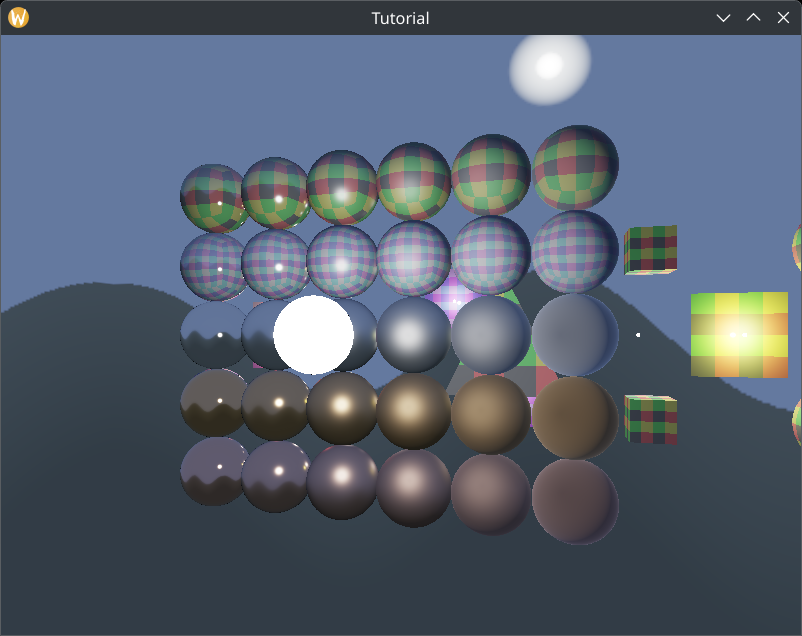
Now if we move the camera to a different location, where the incoming luminance is greater, the exposure value gets adjusted automatically.
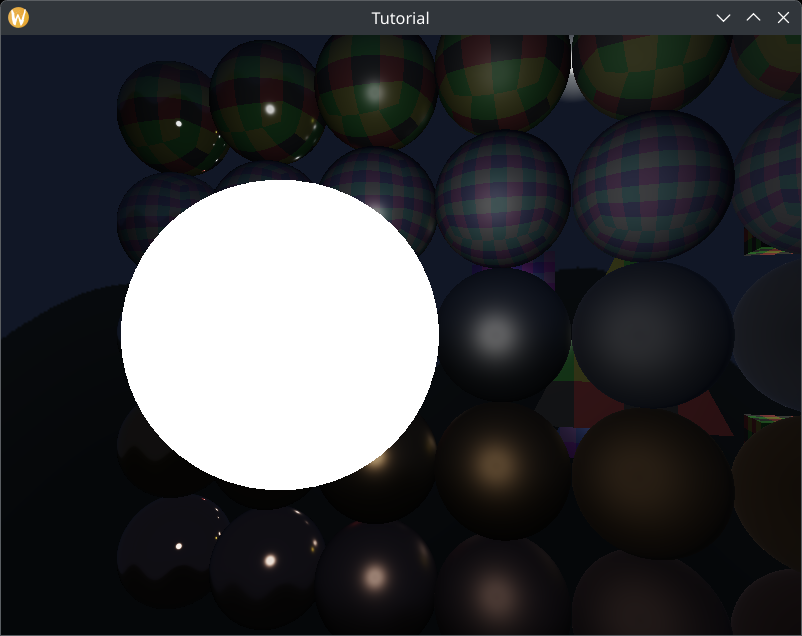
Wrapping up
This concludes the physically based rendering tutorial.
The sample code for this tutorial can be found here.
There are interesting advanced features that you can extend your program with.
- Queries: You can instrument your code using Queries. There is a tutorial here and some sample code here.
- Multisampling and Mipmapping: there are lots of aliasing in our result. There would be even more if we used high resolution textures. Multisampling can help with anti aliasing of our final image and Mipmapping can help with sampling textures that are far away. You can check this already mentioned video for generating mipmaps using a compute shader.
- Bloom: check out the Bloom video of the Cherno. He gives all the explanation and references needed for a modern bloom implementation. Another video from SimonDev is also useful summarizing old techniques as well as new ones.
- Frustum culling: cull scene elements that are outside of the view frustum.
- GPU Driven Rendering: Use compute shaders for frustum culling on the model and frustum/small triangle/backface on the triangle level! The presentations are GPU-Driven Rendering Pipelines from Ubisoft, Optimizing the Graphics Pipeline with Compute from DICE and Rendering the Hellscape of Doom Eternal from id Software. These work really well with the bind everything design we went with in uniform buffer and texture tutorials. (inspired by AMD's VULKAN FAST PATHS presentation.)
-
Vertex pulling: If your graphics engine benefits from it, you can store vertex data (position, texture coordinates, normals) in SSBOs, and use
gl_VertexIndexto load vertex data from these SSBOs the same way you indexed into the hardcoded triangle's hardcoded array. You completely skip using vertex buffers during recording and vertex input state in pipelines. A brief summary can be found here. Doom Eternal used this with draw call merging, see their slides.